MyHeritage Raw DNA Data: How to Download and Analyze the CSV
MyHeritage exports your raw DNA as a CSV inside a .zip. How to download it (not from an iPhone), what the columns mean, and how to read health and trait findings from it free.
MyHeritage lets you download your raw DNA as a .zip containing a CSV file, and you can analyze that CSV free at healthosx.com/dna. The file is read in your browser, and you get findings on food, medication genes, heart health and traits that MyHeritage's own ancestry and matching results don't cover. Your DNA story needs no account; the full report opens in the HealthOS app after a 6-digit code sent to your email.
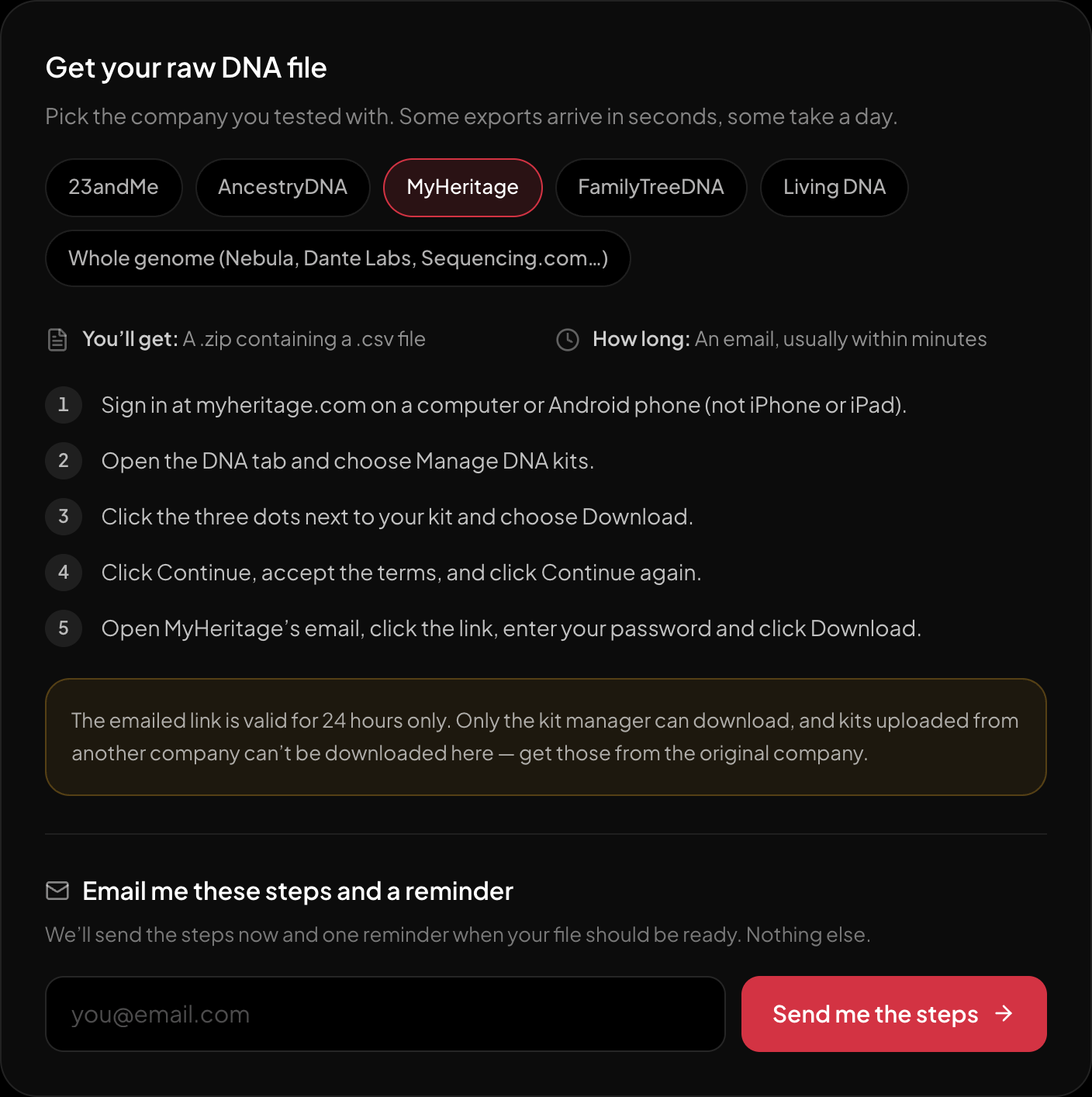
The download steps for MyHeritage, on the page itself.
Including the two things that stop most people: the emailed link expires in 24 hours, and iPhones can’t download it.
What the MyHeritage CSV contains
A few comment lines, then a header and one row per position, with every field in quotes:
"RSID","CHROMOSOME","POSITION","RESULT"
"rs762551","15","75041917","AC"
RESULT is your genotype, two letters. MyHeritage's chip reads several hundred thousand positions, and every one is in the file. Because MyHeritage also accepts uploads from other companies, your kit may hold either its own chip data or a copy of a file from 23andMe or Ancestry.
How to download it
- 1.Sign in at myheritage.com on a computer or Android phone (not iPhone or iPad).
- 2.Open the DNA tab and choose Manage DNA kits.
- 3.Click the three dots next to your kit and choose Download.
- 4.Click Continue, accept the terms, and click Continue again.
- 5.Open MyHeritage’s email, click the link, enter your password and click Download.
- What you get: A .zip containing a .csv file
- How long: An email, usually within minutes
The emailed link is valid for 24 hours only. Only the kit manager can download, and kits uploaded from another company can’t be downloaded here — get those from the original company.
What you get from the file
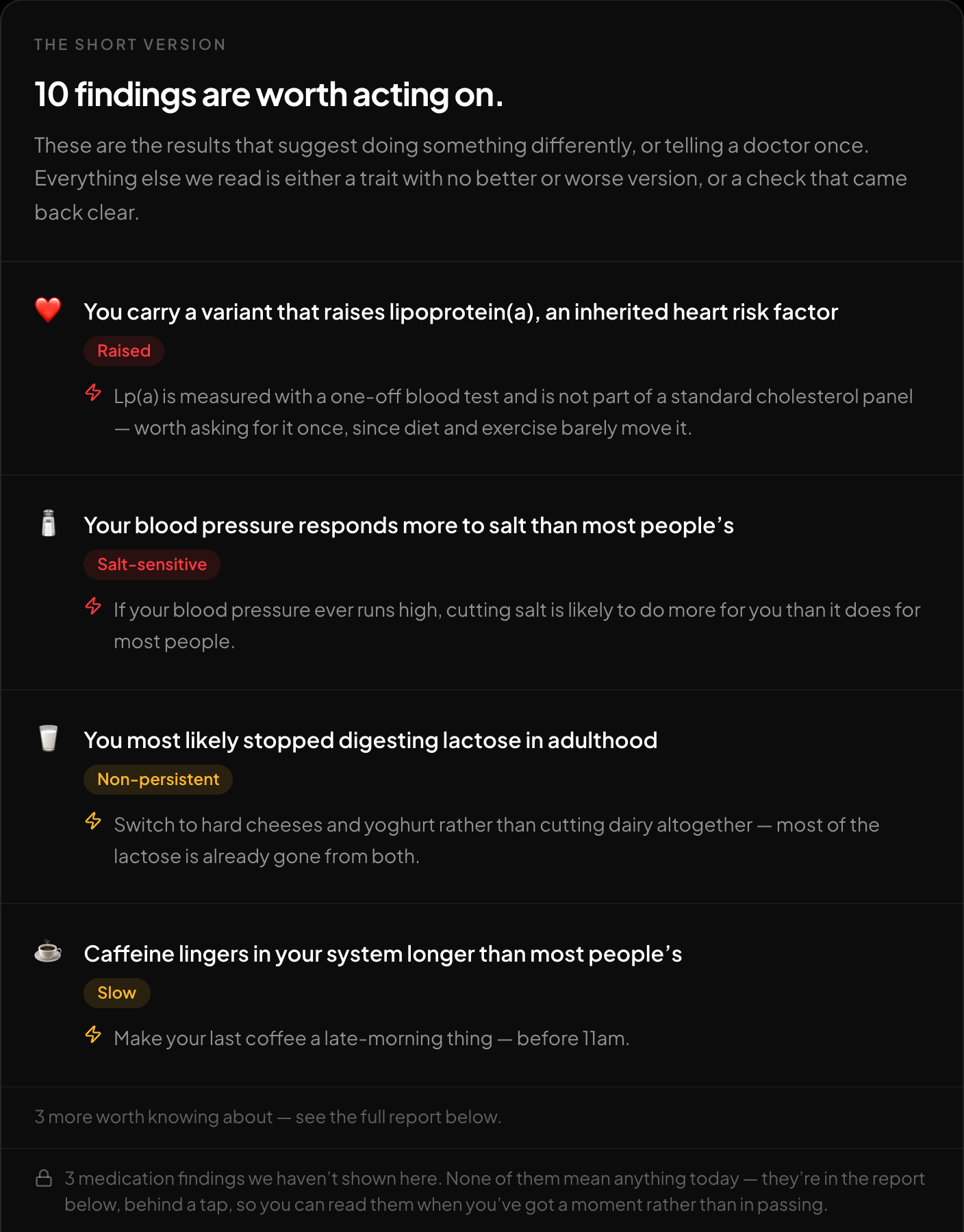
The short version: what is worth acting on, first.
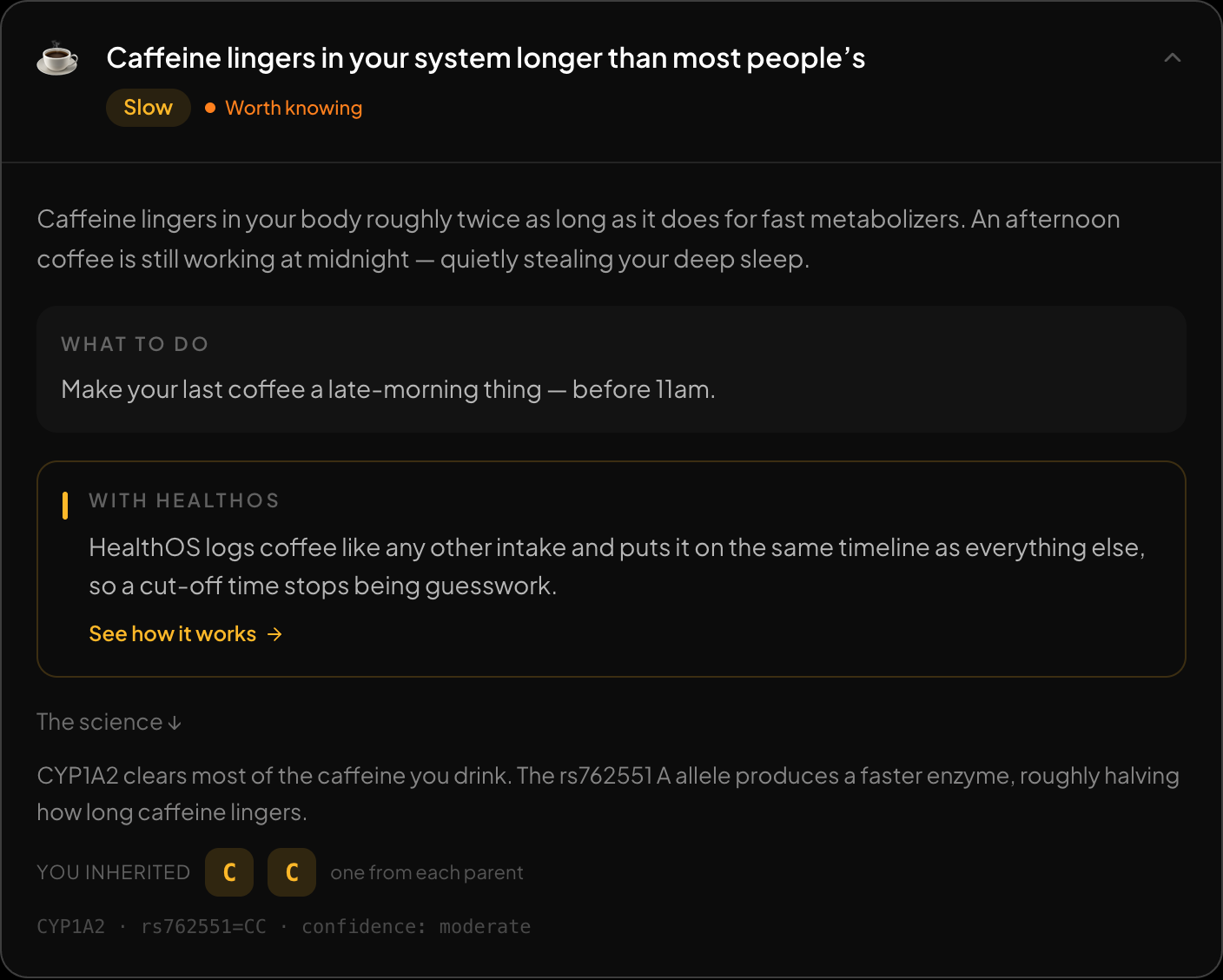
Every finding opens up: what it means, what to do, and the genotype behind it.
The sample genome, read in the browser.
The free report on /dna turns the CSV into plain-language findings in a couple of minutes:
- Food: lactose, caffeine, alcohol flush, bitter taste, omega-3 conversion, folate, vitamin D, celiac genes, G6PD.
- Medications: CYP2C19, CYP2C9, VKORC1, SLCO1B1, TPMT, DPYD and HLA drug-reaction markers.
- Heart and metabolism: lipoprotein(a), iron overload, salt sensitivity, how much refined carbs matter for you.
- Traits: eye colour, hair, freckles, earwax, blood group.
Each finding shows the genotype it's based on and the source behind it.
| What you want | From this file | Why |
|---|---|---|
| Traits, food and drink | Yes | Lactose, caffeine, alcohol flush, bitter taste, vitamin D, folate |
| Medication genes | Yes | CYP2C19, CYP2C9, VKORC1, SLCO1B1, TPMT, DPYD, HLA-B markers |
| CYP2D6 (codeine, tramadol) | No | Needs copy-number calling, which SNP data cannot do |
| Ancestry breakdown | Yes | 15 regions against 157 reference populations, plus the closest of 298 groups and 133 ancient ones |
| Maternal / paternal haplogroup | Partly | A chip carries some mtDNA and Y positions: a solid major branch, not the recent ones |
| Rare disease variants | Barely | A chip tests a handful per gene, and rare calls are often false positives |
| Finding relatives | No | Matching needs a database of other people: GEDmatch, MyHeritage, FamilyTreeDNA |
Scroll the table sideways for the rest →
Read on /dna in your browser, except ancestry, which — only if you agree — sends the markers it needs and keeps them with your result until you delete them.
The optional ancestry breakdown gives you a second view next to MyHeritage's ethnicity estimate, across 15 regions, with the Levant, Arabia, Anatolia and Iran, the Caucasus and North Africa kept separate.
Things that trip people up
- iPhone and iPad can't download it. Use a computer or an Android phone.
- Only the kit manager can download. If a relative manages your kit, ask them.
- Uploaded kits can't be re-downloaded. If you uploaded 23andMe or Ancestry data into MyHeritage, get the original from that company.
- Use the raw data, not the PDF. A report PDF has no genotypes in it.
- Don't open the CSV in Excel and re-save it. Excel reformats columns and can quietly break the file. Use it exactly as downloaded.
FAQ
Do I need to unzip the file?
No, choose the .zip as downloaded.
Is the analysis private?
The report runs in your browser, and the file isn't stored unless you choose to store it for the Ask your DNA chat. Ancestry, if you choose it, sends only the markers it needs and keeps them with your result until you delete them.
Why was my file rejected?
Most often the download was cut short, the wrong file was chosen, or the CSV was re-saved by a spreadsheet app. See each error and its fix.
Read your MyHeritage CSV free, in your browser, in about a minute: healthosx.com/dna
New to raw DNA files? Start with the full guide: How to Download & Analyze Your 23andMe Raw Data Free
No raw DNA file yet?
Get a HealthOS DNA Kit: spit in a tube at home, and your ancestry, lineages and traits arrive in your HealthOS account, with the raw file.
See the DNA kitWritten by
HealthOS Research