What GRCh37 and GRCh38 Mean in Your DNA VCF File
GRCh37 and GRCh38 are two human reference builds; your VCF coordinates mean nothing without knowing which one the file uses.
GRCh37 and GRCh38 are two versions of the human reference genome. In your VCF file, the difference is the coordinate system. A variant at chromosome 1 position 1,000,000 in GRCh37 is not automatically at 1,000,000 in GRCh38. GRCh37 is commonly labelled hg19 or b37; GRCh38 is commonly labelled hg38 or b38.
The same rsID can sit at a different chromosome position in GRCh37 and GRCh38. A VCF position means nothing without the build attached.
What is the difference between GRCh37 and GRCh38 in my VCF file?
Your VCF uses a reference genome to say where each variant sits. GRCh37 is the 2009 human reference from the Genome Reference Consortium. GRCh38 is the 2013 version. They are not just relabelled. GRCh38 filled many gaps, corrected misassembled pieces, and added alternate sequences for some complex regions.
| GRCh37 | GRCh38 | |
|---|---|---|
| Common aliases | hg19, b37 | hg38, b38 |
| Header clues | ##reference=GRCh37 or a GRCh37 contig length | ##reference=GRCh38 or a GRCh38 contig length |
| Released | 2009 | 2013 |
| Often found in | legacy datasets and older VCFs | newer WGS and current reference data |
Scroll the table sideways for the rest →
Aliases, header clues, and common contexts. The released years are accurate.
The practical result is that some parts of the genome have shifted numbering. A base inserted into the reference in GRCh38 pushes later coordinates up. A base removed pushes later coordinates down. Many regions are unchanged, but enough changed that you cannot assume a position is the same across builds.
Why the same variant has two different numbers
Think of the reference genome as a ruler. GRCh37 has a few places where the ruler was built slightly wrong. GRCh38 is a corrected ruler, with new sequence added in some places and wrong sequence removed in others. If your variant sits after one of those corrections, its address moves even though the variant itself has not changed.
The variant line in a VCF looks like:
#CHROM POS ID REF ALT QUAL FILTER INFO 1 123456 rs123456 A G . PASS .
The POS number is true only for the build named in the file. In hg19, that line says position 123456 on chromosome 1. In hg38, the same rsID may sit a few hundred bases away, depending on nearby reference changes. If the ID column is ., there is no rsID to translate and the coordinate plus build is the only address you have. rsID matching can help when an rsID is present, but rsIDs can be merged, obsolete, or ambiguously mapped, so the expected build and variant representation still matter.
What you actually see in a raw VCF
The build may appear in ##reference=GRCh37 or in a contig line such as ##contig=<ID=1,length=249250621> for GRCh37 versus ##contig=<ID=1,length=248956422> for GRCh38. It may also appear in the file name or accompanying metadata. Many VCFs do not state it cleanly. Look for aliases like hg19, b37, GRCh37, hg38, b38, GRCh38. A GATK or Sentieon WGS VCF often has ID=. on many lines, especially if the pipeline did not annotate rsIDs. Those files are the ones where build mistakes hurt most.
Common callers produce VCFs where many lines have no rsID. The file can open fine, look fine, and still put coordinates in the wrong build against the tool you are using. That is the mistake people make: assuming a file that parses is automatically in the right build.
Does my file work as-is for health findings or ancestry?
Depends on the tool and the file. Some tools accept both builds, but knowing which one you have before you process it is safer.
- Health findings that target named positions, like a known pathogenic variant, need the build and variant representation to match the tool's database. If the tool expects GRCh37 and your VCF is GRCh38, a coordinate-based lookup can miss the variant or call the wrong one.
- For HealthOS, ancestry is matched on GRCh37 coordinates. A no-rsID VCF can show ancestry if it is GRCh37. It cannot produce health findings. If a no-rsID VCF is GRCh38, do not assume it works for ancestry or health findings; test it at https://healthosx.com/dna/check before you use it in HealthOS.
- If you just want to store or archive the file, keep it in its original build. Do not convert unless a tool tells you to.
When liftover actually matters
Liftover is the conversion of coordinates from one build to another. It matters when you need to compare a VCF against a database or panel that uses a different build.
A safe workflow is:
- 1.Identify the build in the VCF header, file name, or metadata.
- 2.Check the build expected by the target database or tool.
- 3.If they differ, liftover a copy, never the original file.
- 4.Expect some variants to be dropped or left unmapped.
- 5.Keep the failed records and the original file so you can review what did not convert.
| Situation | Action |
|---|---|
| No-rsID WGS VCF used in HealthOS | Use as-is only if it is GRCh37 for ancestry. Health findings are not produced from a no-rsID VCF. If it is GRCh38, do not expect it to work; test at https://healthosx.com/dna/check. |
| Coordinate-based health lookup | If the file build does not match the tool, liftover a copy to the build the tool expects. |
| Comparing to ClinVar or gnomAD | Use the same build as that source; liftover a copy if needed. |
| Checking a known variant by rsID | Less urgent, but verify the build and variant representation. |
| Consumer raw files | Usually rsID-based, but still check the build; do not assume GRCh37. |
| Archiving or storing | Keep the original build; do not convert unless a tool tells you to. |
Decision table for common VCF situations.
Tools like UCSC liftOver or Picard LiftoverVcf do the conversion. You need the right chain file, such as hg38ToHg19.over.chain.gz or hg19ToHg38.over.chain.gz. Conversion is not a magic fix. It changes coordinates and drops or flags variants that cannot be mapped. Keep the original file and keep the liftover copy separate.
The short answer to the difference
GRCh37 and GRCh38 are two maps of the human genome. The same DNA variant gets a different address in some places because the map was redrawn. Before you process, compare, or query a VCF, read the build from the header or metadata. If a tool expects the other build, liftover only then.
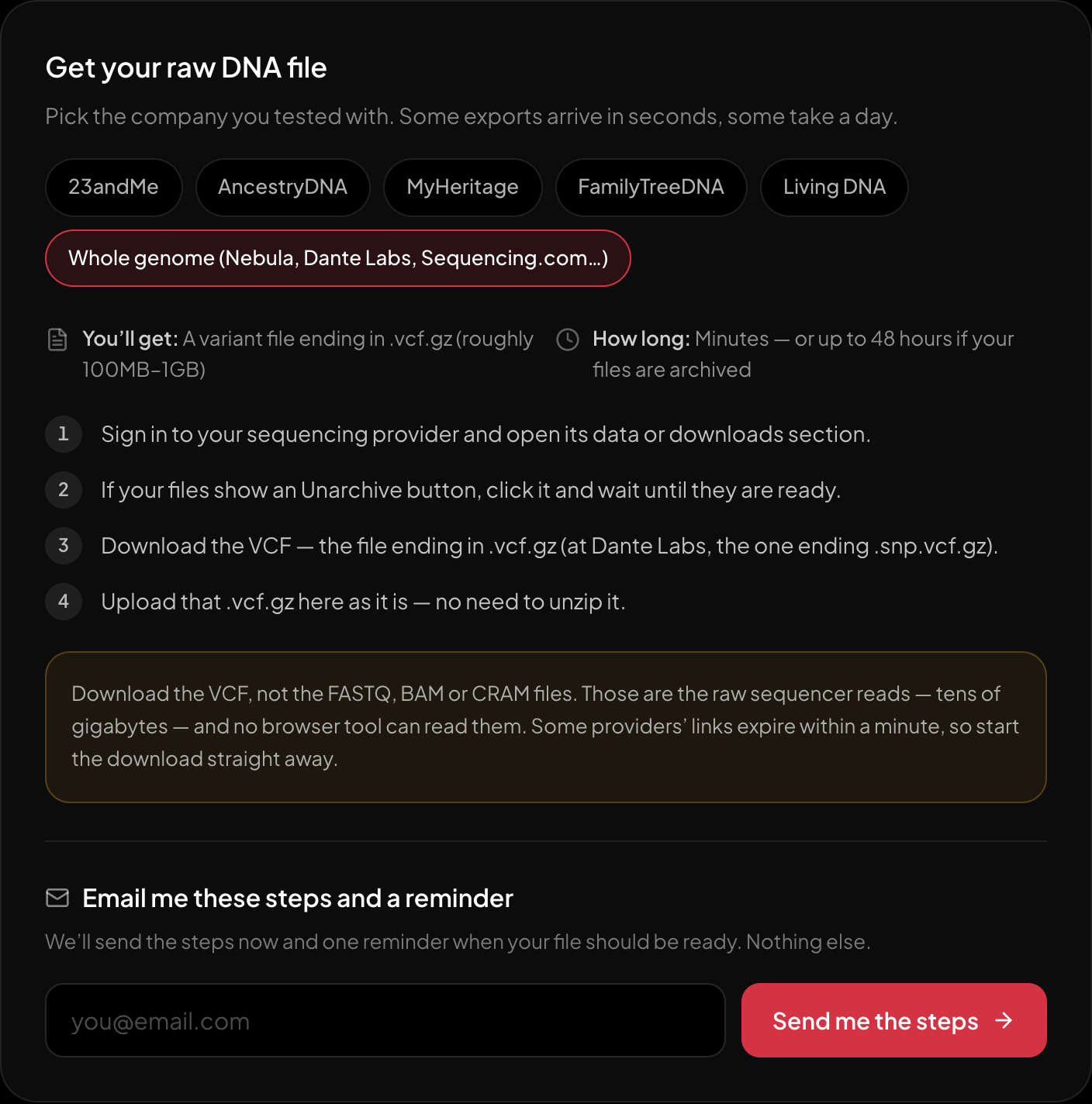
The download steps for whole-genome sequencing, on the page itself.
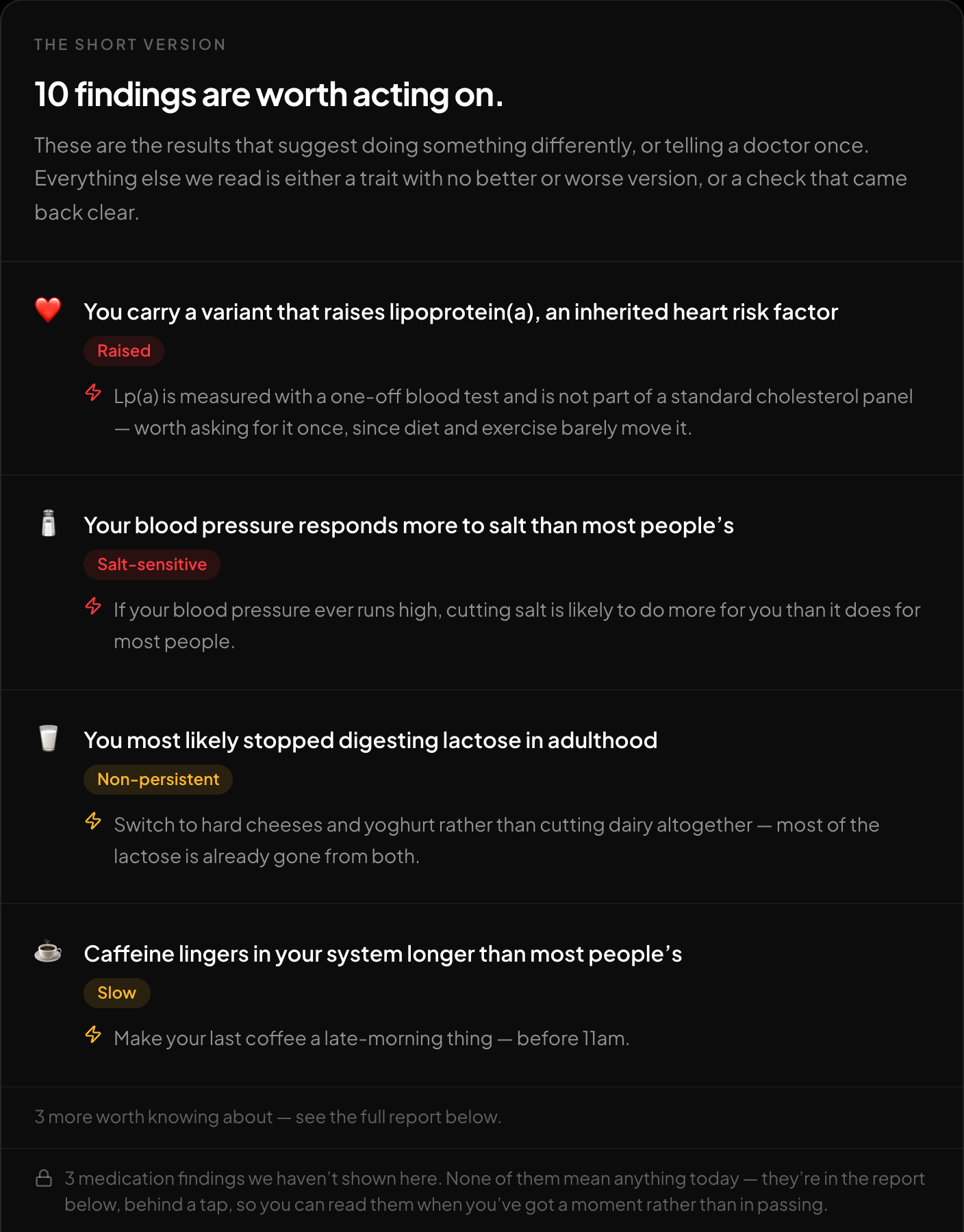
The short version: what is worth acting on, first.
If you have a VCF, the free DNA tool at https://healthosx.com/dna parses the file in the browser. The browser shows only the parts supported by that file. A no-rsID VCF can show ancestry if it is GRCh37 because HealthOS matches ancestry on GRCh37 coordinates, but it cannot produce health findings. If it is GRCh38, do not assume it works; test it at https://healthosx.com/dna/check before you use it. Any supported report opens after a one-time email code. Ancestry runs on the server only with your explicit consent.
New to raw DNA files? Start with the full guide: How to Download & Analyze Your 23andMe Raw Data Free
Written by
HealthOS Research