What Do the Columns in My 23andMe Raw Data File Mean
Your 23andMe raw data file has four columns: rsid, chromosome, position and genotype. Here is what each means and what it cannot tell you.
Your 23andMe raw data file is a tab-separated text file with four columns: rsid, chromosome, position, and genotype. Each row is one variant the chip was asked to read. A row tells you the identity of a genomic spot and the allele(s) called there, nothing more.
What do the columns in my 23andMe raw data file mean?
Open the file in a plain text editor. The comment lines at the top are followed by the header line # rsid chromosome position genotype. After that, every line is one variant.
| Column | What it holds | Example |
|---|---|---|
| `rsid` | dbSNP identifier for the variant | rs7412 |
| `chromosome` | Chromosome (1-22, X, Y, MT) | 19 |
| `position` | Base-pair coordinate on GRCh37 | 45412079 |
| `genotype` | The allele(s) called at that spot (usually two letters; some Y/MT rows are one letter) | CT |
Scroll the table sideways for the rest →
Real example row from the APOE gene on chromosome 19.
rsidis the marker's identifier, almost always an rs number assigned by dbSNP. A dot or an internal ID sometimes appears for a marker without an rs entry.chromosomeis the chromosome the marker sits on. You will see 1 through 22, then X, Y and MT.positionis the base-pair coordinate on the reference genome build 23andMe uses, which is GRCh37, also called hg19.genotypeis the allele(s) called at that spot (usually two letters; some Y/MT rows are one letter). Most rows look likeAA,CTorGG. A--means the chip could not read that position.
A raw DNA file is a parts list, not a diagnosis. The same letters at one position need context before they mean anything.
The example row above is real: rs7412 on chromosome 19 at position 45412079, genotype CT. That marker sits in the APOE gene. To make even that single row meaningful you need a second nearby marker, rs429358, plus knowledge of how the two combine.
Position is not a constant
The position column only makes sense if you know the genome build. 23andMe reports coordinates on GRCh37. Many research tools and newer files use GRCh38, where the same physical base can have a different number. A tool that expects GRCh38 may tell you a position does not exist, or it may silently match the wrong spot. If you are comparing two files, always check what assembly each uses.
This also matters for whole-genome VCF files. A VCF may use GRCh38, or GRCh37, or no rsIDs at all. Matching across builds without conversion is the fastest way to get nonsense.
What the genotype cannot tell you on its own
A raw row is not a disease result. The file tells you the letters at each spot the chip tested. It does not tell you what those letters do. Most conditions depend on many variants, plus age, sex, environment and other things not in this file. A single CT at an APOE marker tells you nothing until you combine it with the other APOE marker and compare against known APOE patterns.
This is the usual mistake. People open the file, look up one rsID, find a study that says "associated with type 2 diabetes," and treat it as a personal diagnosis. That one variant is usually a weak association in a specific population. It may be a real association and still not informative for you. The file also only tests the positions on the chip, roughly 570,000 to 970,000 rows depending on the 23andMe version. Most of the 3 billion bases are not represented.
Some rows have -- for genotype. That is a no-call, not a negative result. It means the intensity data did not pass quality thresholds. A no-call cannot tell you if you are a carrier or not.
How to read the file before running it through an analyzer
Before uploading, check two things.
- 1.Open the file in a text editor and confirm the header. The columns should be in this order:
rsid,chromosome,position,genotype. - 2.Make sure the file is the raw genotype export, not the ancestry composition or trait report. The raw file is often named something like
genome_Firstname_Lastname_v5.txt.
If you are comparing it with an AncestryDNA or MyHeritage file, the columns may be similar but coordinate builds and chip positions can differ. A merged file needs a lift-over to the same build first. The file is plain text, so treat it like any other sensitive data. It can be copied, re-uploaded and read by anyone who has it.
Can I just search each rsID by hand?
You can, but it is a bad way to learn anything. rsIDs are merged, and some old IDs are retired. A web search for one rsID will surface abstracts with weak associations and conflicting findings. It almost never gives you population context. The useful signal comes from matching a full set of relevant positions to curated evidence at the same time. That is what an analyzer is for.
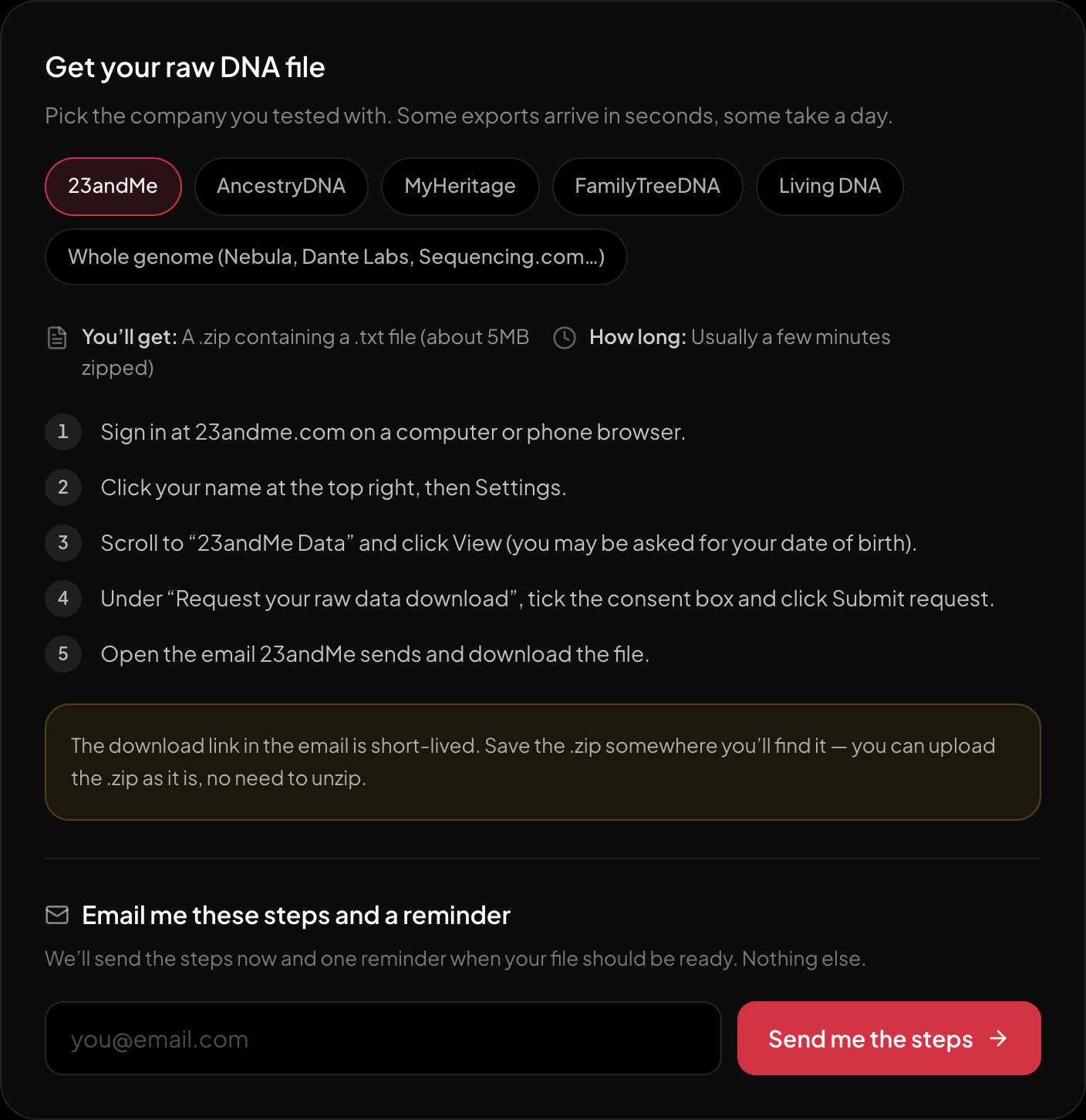
The download steps for 23andMe, on the page itself.
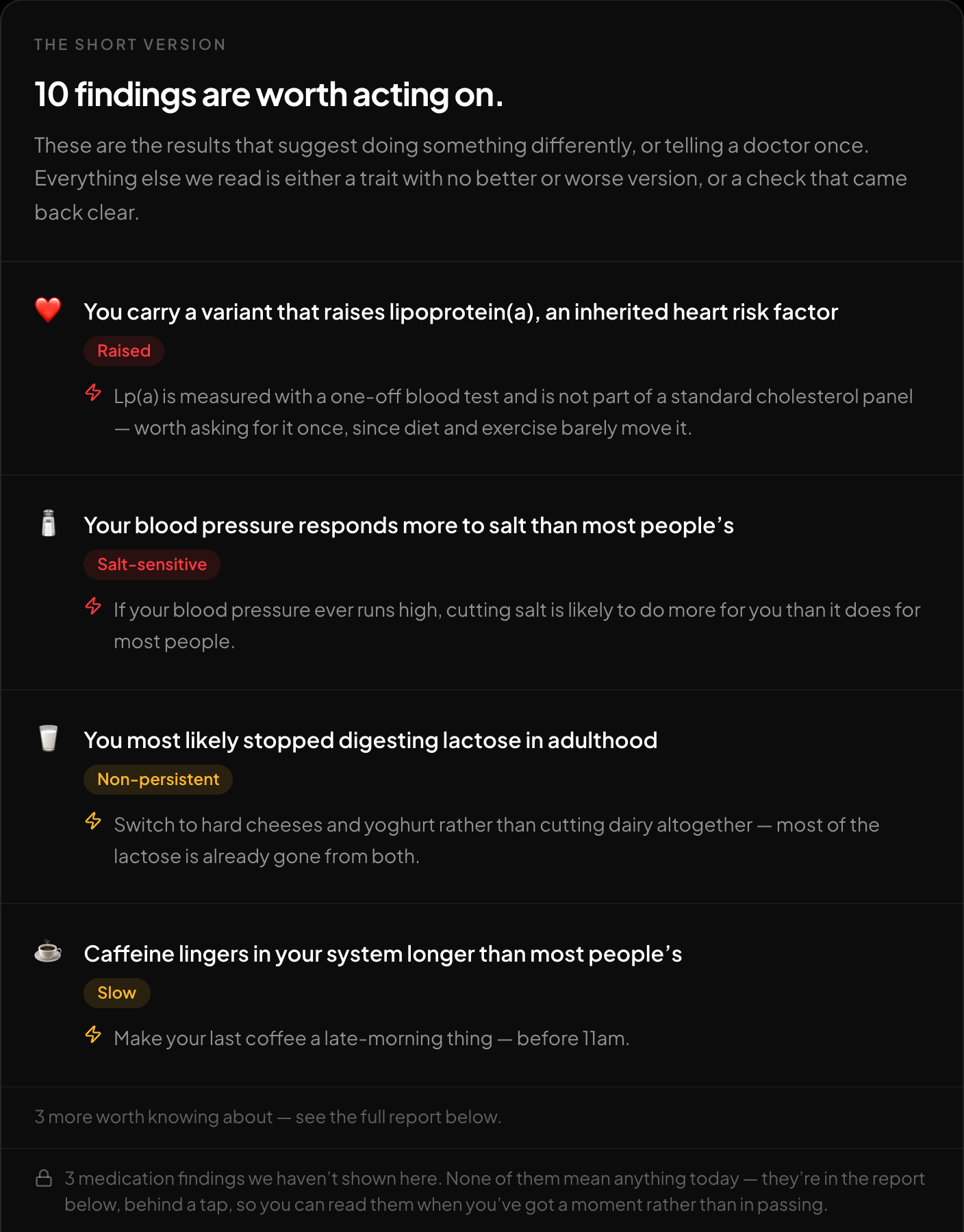
The short version: what is worth acting on, first.
Once the columns make sense, the practical move is to run the file through a tool that already knows which rsIDs matter. The free HealthOS DNA tool at https://healthosx.com/dna reads a raw 23andMe file in the browser and reports traits, medication response, carrier-relevant findings and optional genetic ancestry. You get the story from your own file, not a generic explanation.
New to raw DNA files? Start with the full guide: How to Download & Analyze Your 23andMe Raw Data Free
Written by
HealthOS Research