How Do I Convert My Whole-Genome VCF to a 23andMe File
A HealthOS converter turns a whole-genome VCF into a 23andMe-style raw data file for consumer tools, while the original VCF stays your source of truth.
Upload your VCF at https://healthosx.com/dna/vcf-to-23andme and download the 23andMe-style file. See exact behavior at https://healthosx.com/dna/vcf-to-23andme. This is a format translation, not a re-analysis, and your original VCF remains the source of truth for anything that matters.
Why a whole-genome VCF is not a 23andMe file
A 23andMe raw data file is a small text file. Each line carries four columns: an rsID, a chromosome, a position and a two-letter genotype such as AG or CT. It is a list of around 600,000 to 700,000 genotyping-chip marker positions, almost all of them biallelic SNPs with a convenient rsID.
A whole-genome VCF is a variant call file from a sequencer or clinical pipeline. It contains called SNPs, insertions, deletions, multiallelic sites, genotype quality fields, filter flags and sample columns. Genotypes look like 0/0, 0/1 or 1/1, not AA or AG. Chromosome names may be chr1 rather than 1. The ID column can be an rsID, a dot, or a database identifier, and the file may be gzipped.
Tools that expect 23andMe format want the four columns a 23andMe file has. A VCF is a different format, so a tool that expects those columns may reject the upload or read nonsense from the wrong lines. Size matters too. A gVCF with reference blocks can run very large, while a 23andMe-style file is usually much smaller.
How do I convert my whole-genome VCF to a 23andMe file?
Use the converter at https://healthosx.com/dna/vcf-to-23andme.
- 1.Go to https://healthosx.com/dna/vcf-to-23andme.
- 2.Upload your whole-genome VCF file. Nebula Genomics, Dante Labs and Sequencing.com WGS files are common inputs.
- 3.Download the converted file and upload it to whichever consumer tool asked for 23andMe raw data.
The conversion is a format translation, not a re-analysis. It changes how the data is laid out, not what your DNA says.
What the converter does and does not do
See https://healthosx.com/dna/vcf-to-23andme for exact conversion behavior.
Will my file work if the rsID column is .?
This is the obvious follow-up people hit after opening a VCF from GATK or Sentieon. In raw sequencing output, the rsID column is often a dot because the caller does not annotate dbSNP rsIDs.
For HealthOS ancestry, rsID-less sequencing files are matched on GRCh37 coordinates. Health findings require named positions. For exact converter matching behavior, see the converter page at https://healthosx.com/dna/vcf-to-23andme.
| Whole-genome VCF | 23andMe-style file | |
|---|---|---|
| File size | Varies with sequencing depth and caller | Usually much smaller |
| Variant count | Several million called variants, plus indels and structural calls | 600,000 to 700,000 marker positions |
| Genotype notation | 0/0, 0/1, 1/1 or ref/alt bases | AA, AG, GG etc |
| What many consumer tools do | Reject or misread it | Accept it |
| Best use | Source of truth for health and ancestry | Compatibility file for consumer tools |
Scroll the table sideways for the rest →
Illustrative only. File sizes and counts vary with sequencing depth, caller, and source.
The converted file is for compatibility. The VCF is for conclusions.
Why your original VCF remains the source of truth
Consumer 23andMe-style tools look at a fixed set of marker positions. A whole-genome VCF contains far more than that set, including indels, structural variants and rare variants with no rsID at all. When you convert to 23andMe format, you shrink the data to the overlap between your VCF and the positions that can be expressed in that format.
If you are using WGS data for health questions, keep using the VCF. HealthOS DNA reads whole-genome VCFs directly in the browser and reports single-variant health findings, carrier status, and the named ClinVar panels published at https://healthosx.com/dna. A clear panel in that tool means no such variant was called in the file, not a diagnostic all-clear. The converted 23andMe-style file is for sites that refuse to accept a VCF.
What to do next
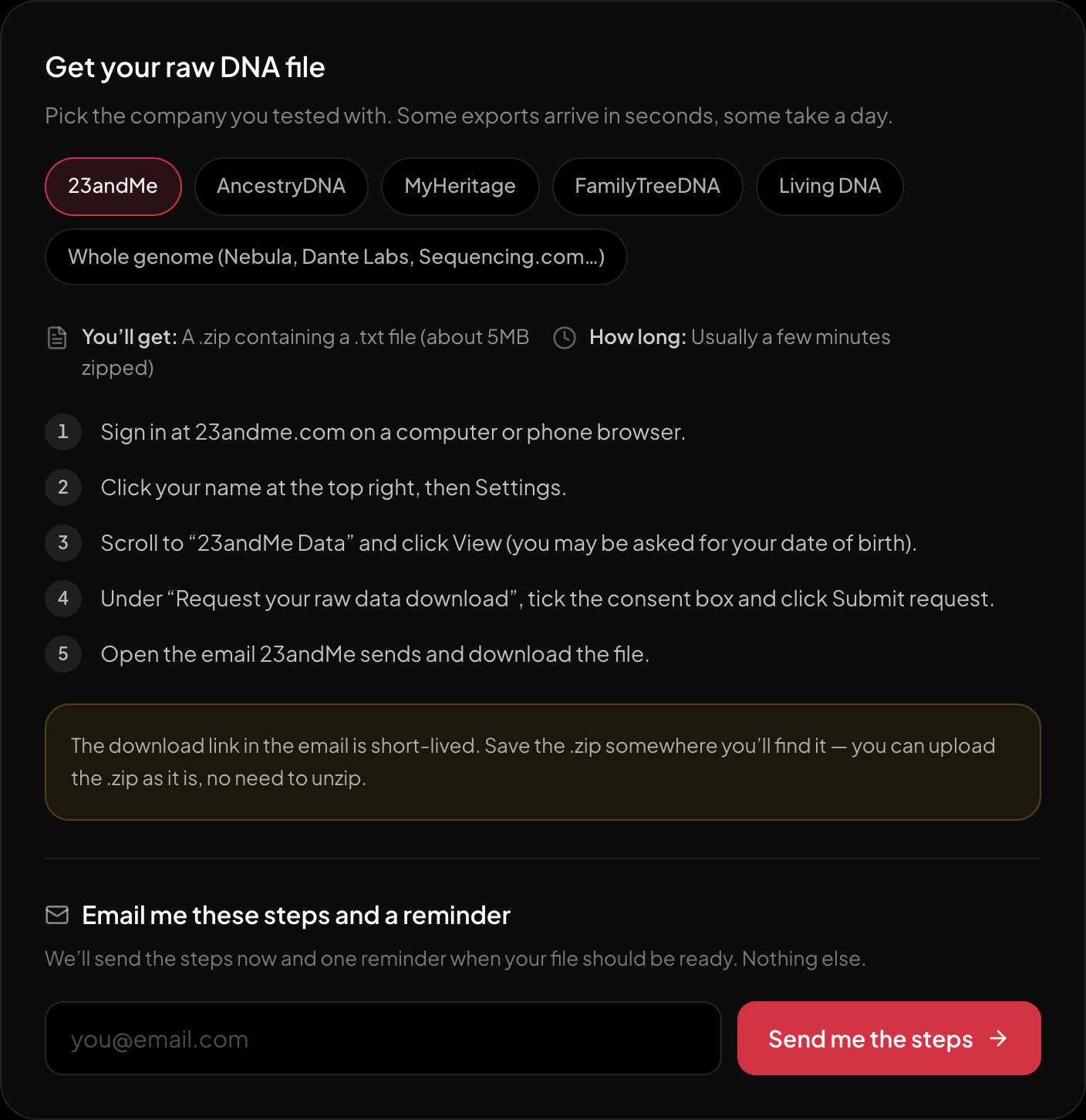
The download steps for 23andMe, on the page itself.
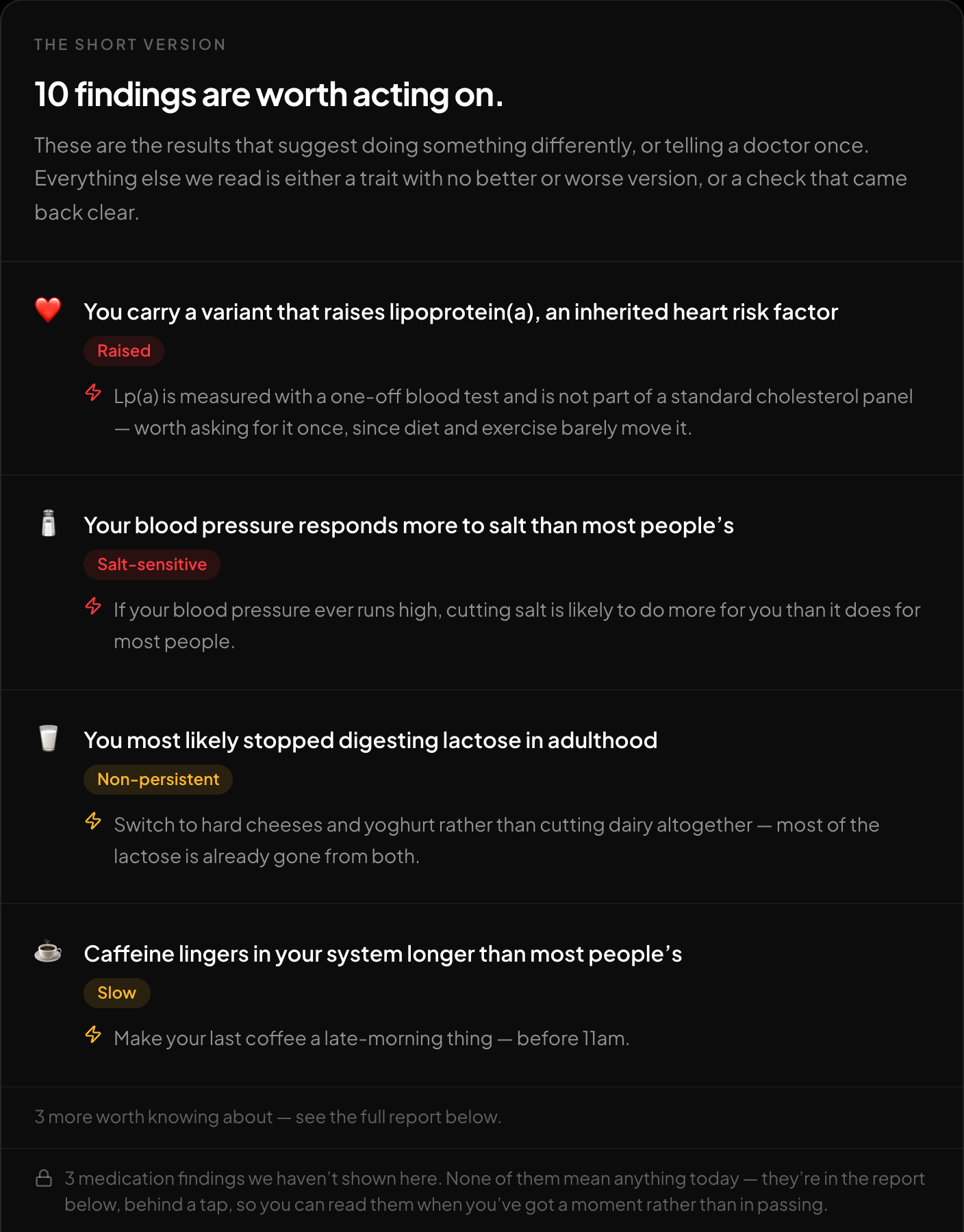
The short version: what is worth acting on, first.
Go to HealthOS DNA and upload the original raw file. The free tool accepts 23andMe, AncestryDNA, MyHeritage, WeGene, FamilyTreeDNA, LivingDNA and whole-genome VCF files from Nebula, Dante Labs and Sequencing.com. It reports traits, medication response, single-variant health findings, carrier status, and the named ClinVar panels, with an optional genetic ancestry breakdown, and needs no payment or account to see the first results. For a file that another site refuses to accept, the converter at https://healthosx.com/dna/vcf-to-23andme is the bridge.
New to raw DNA files? Start with the full guide: How to Download & Analyze Your 23andMe Raw Data Free
Written by
HealthOS Research