Why Does My Whole-Genome VCF Say chr1 Instead of 1 and Does It Matter
chr1 and 1 are two naming styles for the same chromosome. The prefix changes nothing about your data or your genome build, but it can make some tools skip or reject a file.
Your whole-genome VCF says chr1 because the lab or pipeline that made it used a reference genome whose chromosomes are named with a "chr" prefix. Other references call the same chromosome 1. It is the same DNA under a different label, it does not change your data, and it does not tell you which genome build the file uses. It only matters when a tool expects one style and gets the other.
Two naming conventions for the same chromosomes
A VCF is a text file. Each variant line starts with a chromosome name in the first column, and that name is just a string. Nothing in the format forces anyone to write it one way, so several conventions grew up side by side.
The UCSC convention (used by the hg19 and hg38 files from UCSC) writes chr1, chr2, chrX. The Ensembl and GRC convention writes 1, 2, X. NCBI RefSeq files often use accessions instead, such as NC_000001.10 for chromosome 1 on GRCh37 and NC_000001.11 on GRCh38. Sequencing labs pick whichever reference their alignment pipeline was built around, and the VCF inherits it. The naming follows the source of the reference, not the build.
Does it matter? For the biology, no. For software, sometimes a lot, because a program comparing chr1 to 1 sees two different words.
| Chromosome | UCSC style | Ensembl / GRC style | NCBI RefSeq accession |
|---|---|---|---|
| Chromosome 1 | chr1 | 1 | NC_000001.10 (GRCh37) or NC_000001.11 (GRCh38) |
| X chromosome | chrX | X | NC_000023.10 (GRCh37) or NC_000023.11 (GRCh38) |
| Y chromosome | chrY | Y | NC_000024.9 (GRCh37) or NC_000024.10 (GRCh38) |
| Mitochondrial | chrM | MT | NC_012920.1 (rCRS) |
Scroll the table sideways for the rest →
The naming follows the source of the reference (UCSC, Ensembl or GRC, NCBI RefSeq), not the genome build. The GATK GRCh38 bundle, for example, uses chr names.
Why the mitochondrial chromosome looks different
Most chromosomes differ only by the prefix. The mitochondrial genome is the one that breaks the pattern: it is chrM in the UCSC style and MT in the Ensembl style. Strip "chr" from chrM and you get M, which many Ensembl-style tools do not recognise. So a naive find-and-replace fixes chromosomes 1 to 22 and X and Y, then leaves the mitochondrial lines orphaned.
There is a second catch. In hg19, chrM is an older mitochondrial sequence (NC_001807, 16,571 bp) that differs slightly from the revised Cambridge reference (rCRS, 16,569 bp) used by GRCh37 MT. In hg38, chrM and GRCh38 MT are the same 16,569 bp rCRS. Position numbers for mitochondrial variants can therefore disagree between hg19 and GRCh37 files even though the nuclear chromosomes line up. A chrM file on hg19 is the one case where the label hints at a different mitochondrial sequence; confirm with the 16571 vs 16569 length in the ##contig header.
How to tell which style your file uses
You do not need special software. Open the file in a text editor if it is a plain .vcf, or use these on a .vcf.gz:
- Look at the first data line:
zcat file.vcf.gz | grep -v '^#' | head -1 | cut -f1prints the chromosome name, such aschr1or1. - Look at the header:
zcat file.vcf.gz | grep '##contig' | head -3shows lines like##contig=<ID=chr1,length=248956422>.
That second command gives you something more useful than the prefix. The length value identifies the build, and the prefix does not.
If chromosome 1 is 249,250,621 long, the file is on the GRCh37 or hg19 build. If it is 248,956,422, it is GRCh38 or hg38. A chr1 file can be either build, and so can a 1 file.
If the header has no contig lines, use a manual fallback. Look up the position of one well-known rsID on each build (dbSNP lists both), find that rsID in your file with zcat file.vcf.gz | grep -v '^#' | grep -m1 -w 'rsID', and see which build's position matches the one in your file. This needs a file that carries rsIDs.
What happens when the names do not match
Tools handle a mismatch in three ways.
- Silent skip. Region queries and annotation steps look for
1in a file that sayschr1, find nothing, and report zero variants. The run succeeds and the output is empty, which is the worst outcome because it looks like an answer. - Loud rejection. Some pipelines, GATK among them, stop with a contig-mismatch error as soon as the VCF and the reference disagree. This is the friendliest failure, because you find out immediately.
- Partial reading. A tool that strips or adds the prefix itself may handle chromosomes 1 to 22 and drop
chrMorMT, so your mitochondrial calls vanish while everything else looks fine.
If an analysis of your own genome came back strangely empty, naming is one of the first things to rule out.
Can I just rename the chromosomes?
Yes, and it is safe, because renaming relabels lines without touching a single genotype. The clean way is bcftools annotate --rename-chrs map.txt in.vcf.gz -Oz -o out.vcf.gz, where map.txt has one pair per line, old name then new name, for example chr1 1 and chrM MT. This rewrites the header contig lines too. Do the mitochondrial pair explicitly, and map X and Y as well. RefSeq accession names are handled the same way, with lines like NC_000001.11 chr1.
Two practical notes. bcftools needs a bgzipped, indexed input for region queries. After renaming, the old index no longer matches, so re-index with bcftools index -t out.vcf.gz to avoid a stale-index error.
Extra contigs such as chrUn_*, *_random, *_alt and decoy sequences have no simple 1:1 rename. Any name missing from map.txt is left as it is, which can still trip strict tools, so check what is left in the header afterwards.
What renaming cannot do is move you between builds. Turning hg19 coordinates into hg38 coordinates is liftover, a different operation that changes positions. A prefix swap alone leaves every position exactly where it was.
The common mistake is assuming chr means the newer build. It does not. Plenty of hg19 files carry the prefix, and plenty of GRCh38 files carry it too: GRCh38 analysis sets such as the GATK hg38 bundle use the chr prefix with GRCh38 coordinates.
Check the file before you upload it
The reliable move is to test the actual file rather than guess from the first line. The checker at healthosx.com/dna/check looks at a file and tells you whether the free DNA tool will be able to read it. A pass means you can go ahead and upload; a rejection means fix the file first. It is not a build detector, so use the contig length or the rsID comparison above for that.
Does the HealthOSX DNA tool read chr-prefixed VCFs? The checker is how to find out. If it rejects your file, renaming with bcftools as described above is safe.
One limit worth knowing: a file whose ID column is just a dot (raw GATK or Sentieon output) has no rsIDs. Those can still be used for ancestry, matched on GRCh37 coordinates, so a GRCh38 file without rsIDs may need liftover. Check it first. The named-position health findings need rsIDs and will not appear.
chr1 and 1 are the same chromosome with two labels, and the label tells you nothing about your genome build. Read the contig length for that.
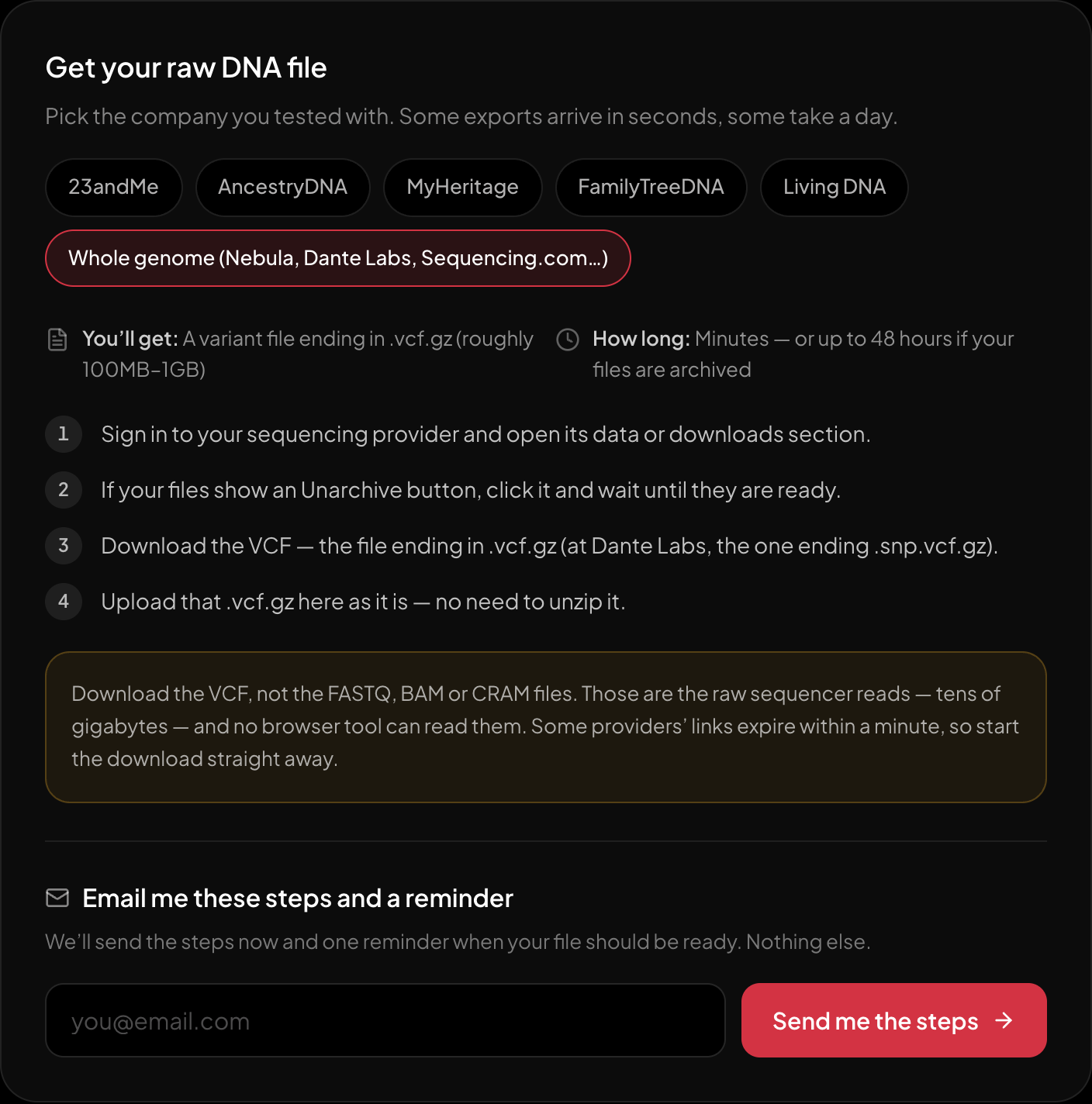
The download steps for whole-genome sequencing, on the page itself.
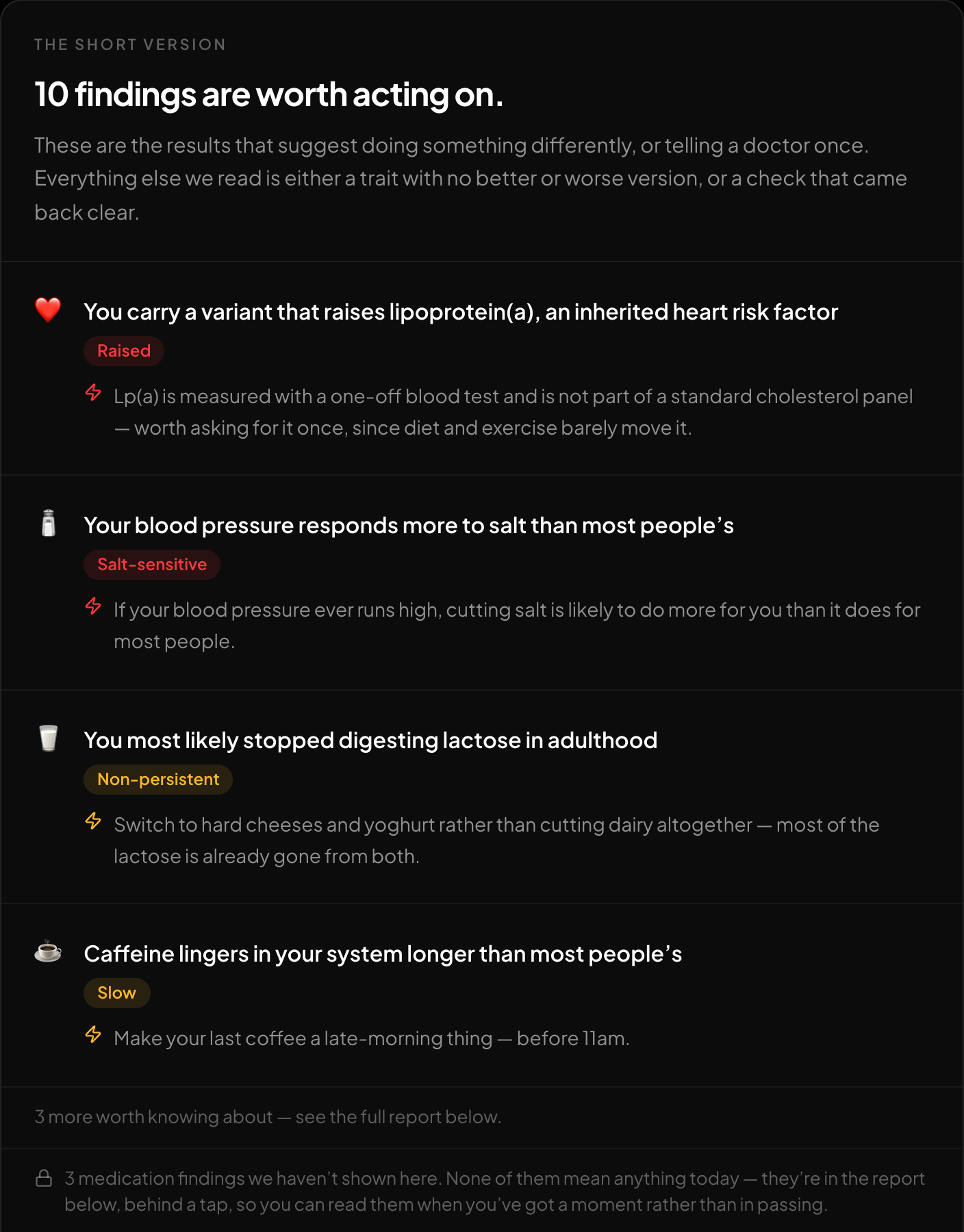
The short version: what is worth acting on, first.
If you have a whole-genome VCF and want to see what is actually in it, the free DNA tool reads it in the browser and reports traits, medication response and ClinVar-screened panels for hereditary cancer, heart rhythm, carrier screening and ACMG secondary findings, with an optional genetic ancestry breakdown. A clear panel is not a diagnostic all-clear. Run the check first, then upload.
New to raw DNA files? Start with the full guide: 23andMe Raw Data Interpretation Free in Your Browser
Written by
HealthOSX Research