What Is the .tbi File Next to My Whole-Genome .vcf.gz and Do I Need It to Analyze My DNA
The .tbi is a tabix index for your .vcf.gz. You don't need it to read the whole file, and the free DNA tool only wants the .vcf.gz. Here is when an index matters, and what to do with the other files in your download.
The .vcf.gz.tbi file is a tabix index: a small lookup table for your block-compressed whole-genome VCF. You do not need it to read the whole file from start to finish, and for the free HealthOSX DNA tool you upload the .vcf.gz alone. The index only matters when software wants to jump straight to one gene or chromosome region.
What is the .vcf.gz.tbi file that came with my whole genome VCF
It is a tabix index. Your sequencing company (Nebula, Dante Labs, Sequencing.com or whoever ran the pipeline) almost certainly compressed the VCF with bgzip and then ran tabix on it, though the exact steps depend on their pipeline. The result is a second file with the same name plus .tbi. So sample.vcf.gz is your data and sample.vcf.gz.tbi is its table of contents.
The index contains no genetic information about you. It is typically kilobytes to a few megabytes, next to a VCF that can run to hundreds of megabytes or several gigabytes. Deleting it loses no genetic information, because it can be rebuilt from the VCF, but only if the .vcf.gz is BGZF-compressed and sorted by position. Both conditions are explained in the next section.
Why a compressed VCF needs an index at all
A whole-genome VCF lists several million variant calls, sorted by chromosome and position. Ordinary gzip is one continuous stream, so to reach chromosome 17 you would have to decompress everything before it.
BGZF (the format bgzip writes) fixes that by compressing in many small independent blocks, each holding about 64 KB of uncompressed text (bgzip writes blocks of just under 64 KiB). It is still a valid .gz file, which is why plain gunzip opens it. The tabix index then records, for each stretch of the genome, the file offset of the block where those lines begin. Ask for chr7:117,000,000-117,400,000 and the software reads the index, seeks to the right block, decompresses a few of them and stops.
Two conditions follow from this. The VCF must be sorted by position, and it must be BGZF rather than plain gzip. Tabix will refuse a plain-gzip file and tell you it was not compressed with bgzip. If either condition fails, the index cannot be rebuilt until you fix the file (see the rebuild section below).
Which file to give the DNA tool
Give it the .vcf.gz only. The tool reads the file in your browser from the first line to the last, so it never needs to jump around, and the index adds nothing. If you are unsure whether your file will work, check it first at the DNA file checker.
| File | What it is | Upload it? |
|---|---|---|
| sample.vcf.gz | Your variant calls, BGZF-compressed | Yes |
| sample.vcf | The same calls, uncompressed | Yes |
| sample.g.vcf.gz | gVCF: variants plus the stretches matching the reference | Not the one to start with |
| sample.vcf.gz.tbi | Tabix index of the .vcf.gz | Not needed |
| sample.vcf.gz.csi | Alternative index format | Not needed |
| sample.bam / sample.cram | Aligned sequencing reads, not variant calls | No, these are reads |
Scroll the table sideways for the rest →
What each one is, and whether to upload it to the free DNA tool.
One caveat on the file itself. If the ID column of your VCF is just a dot (raw GATK or Sentieon output), there are no rsIDs to match against. Ancestry for files without rsIDs is matched on GRCh37 coordinates, so if your file is GRCh38, check it at the DNA file checker rather than assuming it works.
When you do need the index
Anything that asks for a region needs it. A tool reading the whole file does not.
| Task | Needs an index |
|---|---|
| Read the whole file front to back (a browser tool, or bcftools view of the entire file) | No |
| bcftools view -r (one region) | Yes |
| bcftools view -t (targets, streams the file) | No |
| Open the VCF as a track in IGV | For large files, yes |
The index is only for jumping to a region.
bcftools view -r chr7:117000000-117400000 sample.vcf.gzneeds an index and stops with an error if none exists. It does not fall back to scanning. Without an index,bcftools view -t chr7:117000000-117400000 sample.vcf.gz(targets) works, because it streams the whole file and filters as it goes. It is slower, but it gets you the region.- IGV needs a matching .tbi or .csi to load a large bgzipped VCF region by region. A small VCF can be loaded without an index, because IGV reads it fully into memory.
- Looking up one gene across many genomes, or one variant in a big cohort file, is the case the index was built for.
The common mistake is renaming sample.vcf.gz and leaving the .tbi behind. Tools usually look for the index by appending .tbi to the exact data file name, so the two have to travel together.
What if my download also has a .g.vcf.gz, split SNP and indel files, or a BAM or CRAM
Sequencing downloads often hold several files, and only some are variant calls.
- The variant VCF is the one to upload. That is the
.vcf.gzof called variants, often named likesample.vcf.gzorsample.snp.vcf.gz. .g.vcf.gz(gVCF): a different flavor of VCF that also records the stretches where you match the reference. It is larger and meant for joint analysis, so it is not the file to start with. Use the plain variant.vcf.gzinstead.- Separate SNP and indel VCFs: if there is also a combined
.vcf.gz, use that. Some named findings are indels (APOL1 G2 is a 6-bp deletion), so a SNP-only file can miss them. If only the split files exist, check both at the DNA file checker before relying on either. .bamor.cramwith.baior.crai: these are aligned sequencing reads, not variant calls, and the.baiand.craiare their indexes. They are not the file to upload.
The DNA tool is documented for .vcf and .vcf.gz files. For anything else, including gVCF, BAM and CRAM, use the checker rather than assuming it will work.
Missing, old or mismatched: how to rebuild it
The index stores byte offsets into one specific file. If you decompress the VCF and recompress it, edit it, or swap in a file from another run, those offsets point at the wrong places. Depending on the tool you get an error, a warning that the index is older than the data, or the worse outcome of missing or wrong records in a region query. An index built for a different file is not a harmless leftover. Delete it and make a new one.
- Rebuild it:
tabix -p vcf sample.vcf.gz, orbcftools index -t sample.vcf.gz. Add-fto overwrite an existing one. - Plain gzip instead of BGZF:
gunzip -c in.vcf.gz | bgzip -c > sample.vcf.gz, then index it. - Unsorted file:
bcftools sort -O z -o sorted.vcf.gz in.vcf.gz, then index.
After any re-compression, reindex. It takes seconds to a few minutes on a whole genome.
Can I delete it, and what about .csi
Yes, delete it if you only want to upload or archive the VCF, and keep it if you plan to use bcftools or IGV on regions of large files. You may also meet a .csi file. It does the same job and bcftools index makes it by default, but it handles very long chromosomes that the older .tbi format cannot. Human chromosomes fit within .tbi, so for a human genome the choice rarely matters, though some older tools only read one of the two.
The .tbi is a table of contents for your .vcf.gz: skip it to read the whole file, keep it to query regions, and rebuild it whenever the .vcf.gz changes.
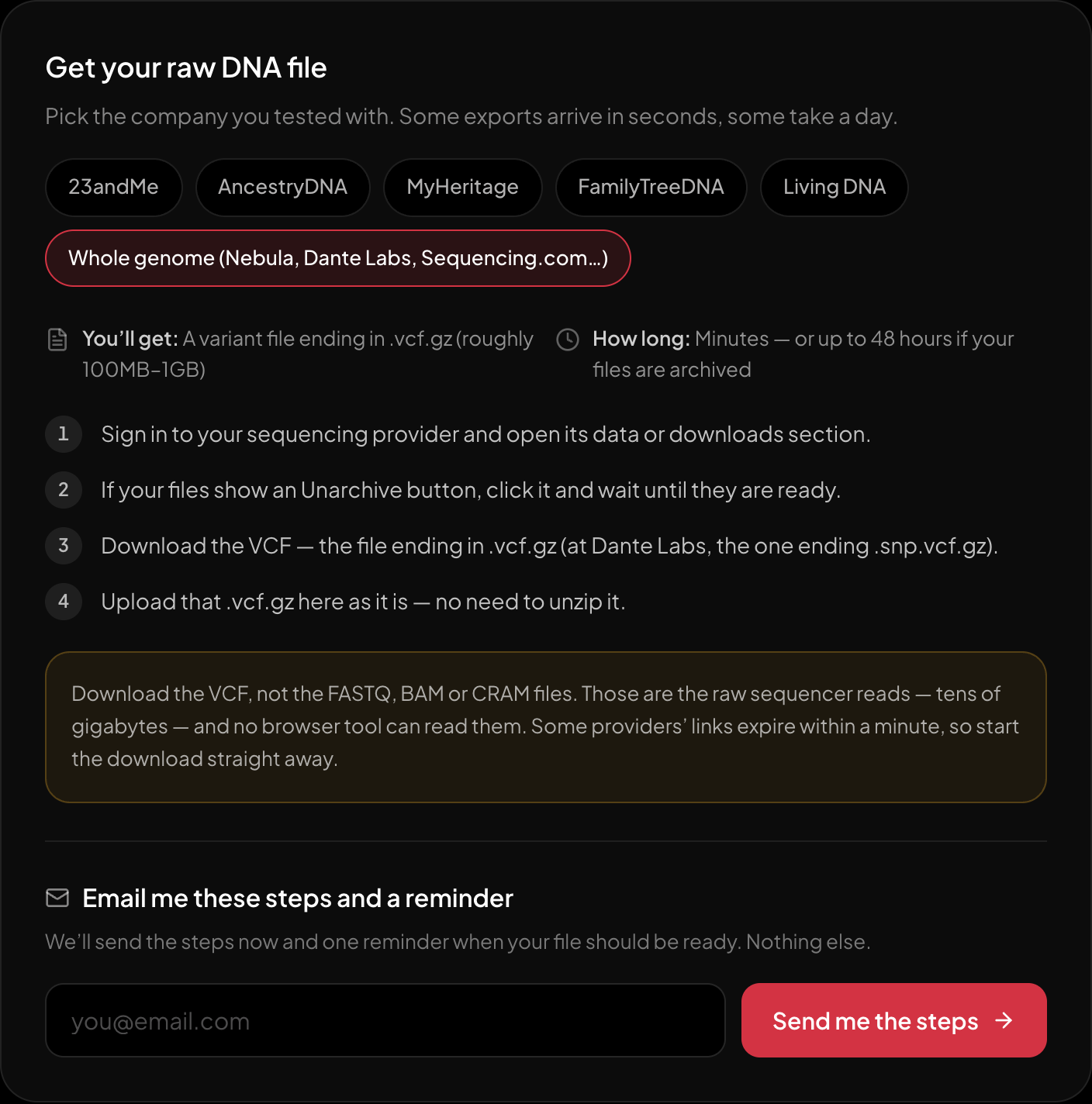
The download steps for whole-genome sequencing, on the page itself.
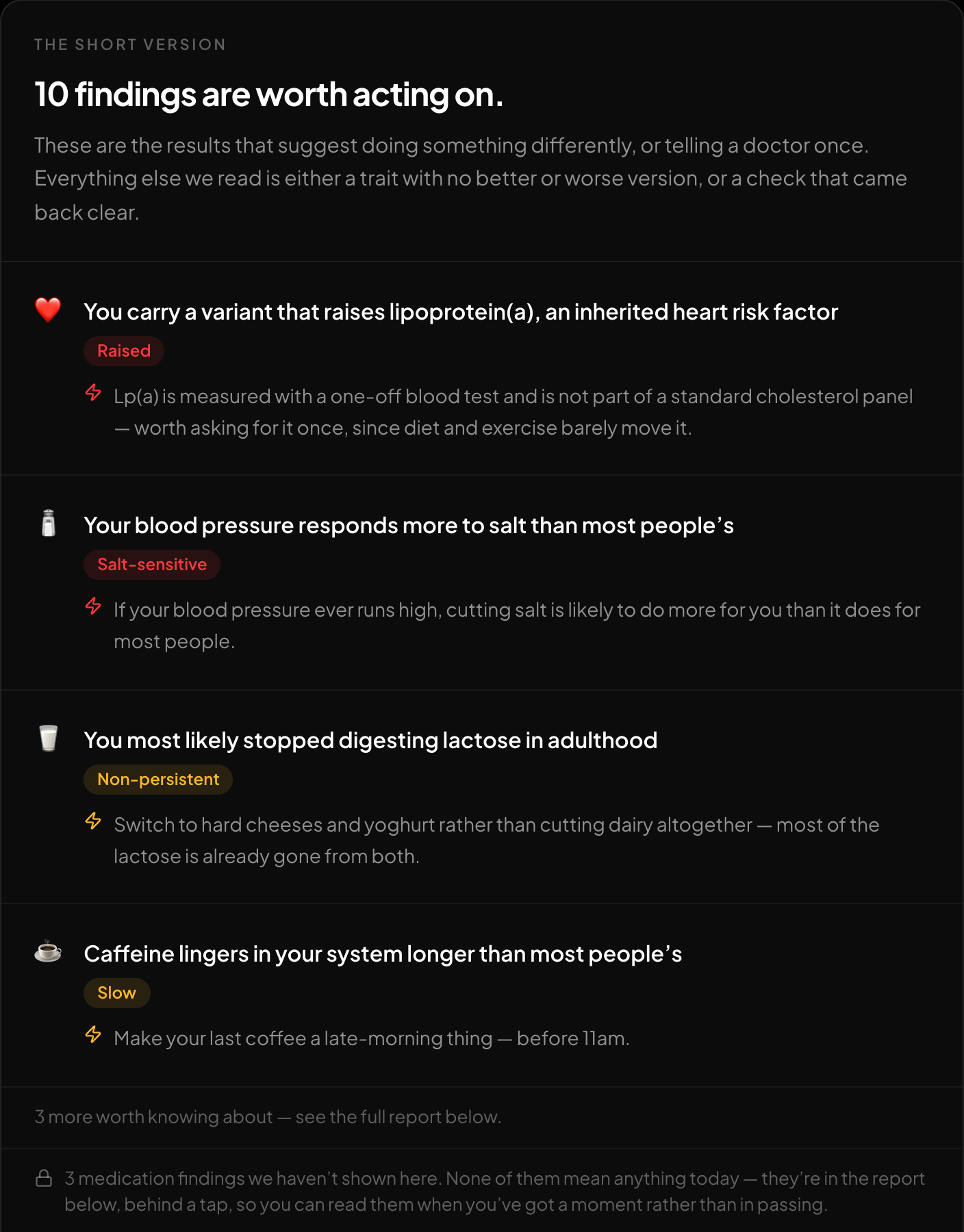
The short version: what is worth acting on, first.
If you want to see what is in your own VCF, the free HealthOSX DNA tool reads the .vcf.gz in your browser. Whole-genome VCFs are also screened in the browser against ClinVar panels, alongside traits, medication response and carrier-relevant findings. Genetic ancestry is optional: if you choose it, only the markers it needs are sent to the server, and only with your consent. The results are information, not a diagnostic all-clear, so a clean screen does not rule anything out.
New to raw DNA files? Start with the full guide: 23andMe Raw Data Interpretation Free in Your Browser
Written by
HealthOSX Research