What Is a gVCF File and Can I Use It Instead of a Regular VCF to Analyze My DNA
A gVCF lists every stretch of the genome, including where you match the reference. Here is how to tell it from a plain VCF, why tools choke on it, and what to do.
A gVCF is a VCF that also records the places where you match the reference genome, written as blocks with <NON_REF> in the ALT column and an END= value in the INFO column. A regular VCF lists only the positions where you differ. Can you use it instead? Usually not directly. Most DNA analysis tools expect the plain kind, so a gVCF can be rejected or read incompletely, and the usual fix is to get the plain VCF from your provider or convert the gVCF yourself.
What is a gVCF file, and how is it different from a VCF?
A VCF answers one question: where does this person differ from the reference? One row, one difference. A typical human genome has a few million of them.
A gVCF answers a harder one: what was found at every position, differences or not? The reason it exists is practical. If a position is missing from a normal VCF, you cannot tell whether the person matched the reference there or whether there were simply no usable reads. For combining many people's genomes, that gap matters, so the gVCF fills it in.
It does this with reference blocks. Instead of one row per matching base, which would mean billions of rows, a block row says: from this position to the position in END=, the genotype is reference, with this much confidence. The ALT column of that row holds <NON_REF> (GATK) or <*> (some other callers), a placeholder meaning any allele that is not the reference.
The placeholder does not stay on the block rows. In a GATK gVCF, the variant rows carry <NON_REF> too, as an extra allele after the real one, for example ALT = G,<NON_REF>. Naive parsers often break on this. It also means that "rows with a real ALT" needs care: a row whose ALT contains <NON_REF> may still be a genuine variant, and a row whose ALT is only <NON_REF> is not.
| Regular VCF | gVCF | |
|---|---|---|
| Rows for | Only positions where you differ from the reference | Differences and runs of reference-matching sequence |
| ALT column | A real base, such as A or G | Block rows: `<NON_REF>` or `<*>` alone. Variant rows too: the real base plus the placeholder, such as `G,<NON_REF>` |
| INFO column | Variant details | Block rows carry END= with the last position |
| Size | Smaller. Illustratively, a 30x whole-genome VCF.gz in the low hundreds of MB | Larger, many more rows. Illustratively, a 30x whole-genome gVCF.gz of several GB |
| Works in most consumer tools | Yes | Often not |
Scroll the table sideways for the rest →
The difference is in what gets a row. Sizes are illustrative and vary with coverage and caller.
How to tell which one you have
Open the first lines. You do not need special software.
- On Mac or Linux:
zcat yourfile.vcf.gz | head -n 60(gzcaton some Macs). For an uncompressed file,head -n 60 yourfile.vcf. - On Windows, a text editor cannot read a
.vcf.gzdirectly. Extract it first, for example with 7-Zip, then look only at the first lines. The full file is gigabytes, and larger still once extracted, so do not try to scroll through it. - Look at the header lines starting with
##. A GATK gVCF usually has##GVCFBlocklines, and the caller line may say HaplotypeCaller with a gVCF mode. - Then look at the first data rows. If you see
<NON_REF>in the ALT column andEND=in the INFO column, it is a gVCF. - Also check the filename. Providers often write
.g.vcf.gz, but not always, so trust the contents over the name.
The excerpt below shows what those rows look like.
| Row type | CHROM (chromosome) | POS (start position) | ID (rsID or .) | REF (reference base) | ALT (alternate alleles) | INFO (details) |
|---|---|---|---|---|---|---|
| Reference block | chr1 | 10001 | . | T | `<NON_REF>` | `END=10150` (block runs to here) |
| Variant row | chr1 | 10151 | . | A | `G,<NON_REF>` | `DP=32;MLEAC=1,0` (no END=) |
| Reference block | chr1 | 10152 | . | C | `<NON_REF>` | `END=10310` |
Scroll the table sideways for the rest →
Illustrative excerpt, not a real genome. The FORMAT and sample columns after INFO are left out, and the INFO values are simplified.
Why a gVCF is bigger and has so many more rows
Every stretch of the genome gets a row, because every stretch has to be accounted for. A plain VCF only needs the few million places you differ, while a gVCF adds a block row for every run of matching sequence and breaks a block whenever the variant caller's genotype quality (GQ) moves into a different band. Hence more rows, often many times more, and a larger file even though blocks compress well.
This is also why counting rows tells you nothing in a gVCF. A row count that looks like "20 million variants" (an illustrative figure) is mostly reference blocks. The real variants are the rows with a genuine ALT allele (not just <NON_REF>) and a non-reference genotype.
Can I use a gVCF instead of a VCF for DNA analysis?
Usually not directly. Whether it works depends on the tool, and the failures come in two kinds.
The loud kind: the tool sees <NON_REF> or <*>, which is not a real base, and stops with a parse error. That is at least a failure you can see: you know the file did not work.
The quiet kind is worse. The tool carries on and gives you a result, and nothing tells you it is wrong. There are two ways this happens. The tool may read reference-block rows as if they were variants, which inflates counts and can attach findings to positions where you match the reference. Or it may drop variant rows whose ALT includes <NON_REF>, such as G,<NON_REF>, which removes real variants from the analysis.
A gVCF holds more information than a VCF, and the right tools can turn it into a regular VCF, as described below.
For HealthOSX specifically: the reader at healthosx.com/dna lists plain whole-genome VCFs (.vcf or .vcf.gz). If you have a gVCF, run it through the file check before you upload.
What to do about it
- Log in to the provider where you got the sequencing (Nebula, Dante Labs, Sequencing.com and similar) and look for a separate download labelled VCF, not gVCF. Some providers offer both; if yours doesn't, ask support.
- Check the first lines of whichever file you end up with, as above.
- If you want to convert it yourself, there are two routes, and they behave differently.
- The lighter route is
bcftools convert --gvcf2vcf --fasta-ref reference.fasta sample.g.vcf.gz. It needs the matching reference FASTA, and it writes one row per reference base, which is roughly 3 billion rows for a whole genome. Do not write that to disk. Pipe it into a filter that keeps only variant rows:bcftools convert --gvcf2vcf --fasta-ref reference.fasta sample.g.vcf.gz | bcftools view -i 'GT="alt"' -Oz -o sample.vcf.gz. Using--min-ac 1in place of the-iexpression also works. - The route that drops reference blocks and strips
<NON_REF>is GATK's GenotypeGVCFs run on the single sample:gatk GenotypeGVCFs -R reference.fasta -V sample.g.vcf.gz -O sample.vcf.gz. The result is a regular VCF of variant sites. GATK needs the reference's.faiindex and.dictdictionary sitting next to the FASTA, with the same base name. Use the reference build the gVCF was called against, GRCh37 or GRCh38, which you can read from the##contigand##referenceheader lines of the gVCF.
A related catch: no rsIDs
Some sequencing files, even regular VCFs, come straight out of the caller (raw GATK or Sentieon output) with . in the ID column. They carry the same positions, just not their rsID names. The HealthOSX reader at healthosx.com/dna handles such files for ancestry by matching on GRCh37 coordinates. That is how this reader works, not something you can assume of every tool, and other tools may not do it. Health findings need named positions to say which variant is which, so they can be missing from a file without rsIDs. Nothing about the file is wrong. It just has not been annotated.
Check yours, then see what it says
Once you have a plain whole-genome VCF (.vcf or .vcf.gz), the free reader at healthosx.com/dna takes it, along with 23andMe, AncestryDNA and MyHeritage files. The report lists traits, medication response based on CPIC guidance, carrier status, and single-variant health findings, and for whole-genome VCFs it adds a ClinVar pathogenic and likely-pathogenic screen. There is also an optional genetic ancestry breakdown. Unlike the rest, ancestry runs on the server: it happens only with your explicit consent, and it sends only the markers it needs, not the whole file. A clear panel is not a diagnostic all-clear: it only covers what the screen looks at.
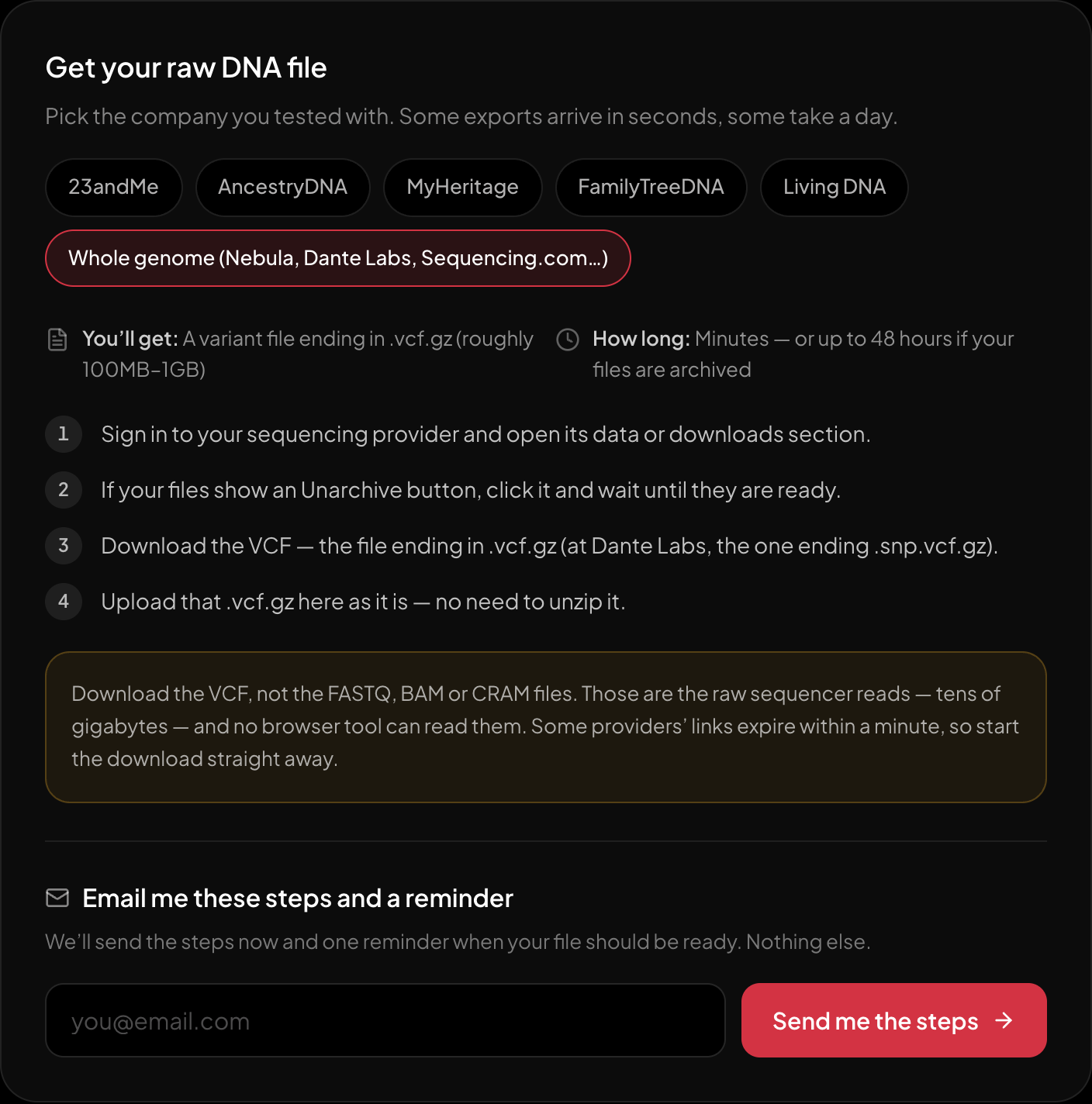
The download steps for whole-genome sequencing, on the page itself.
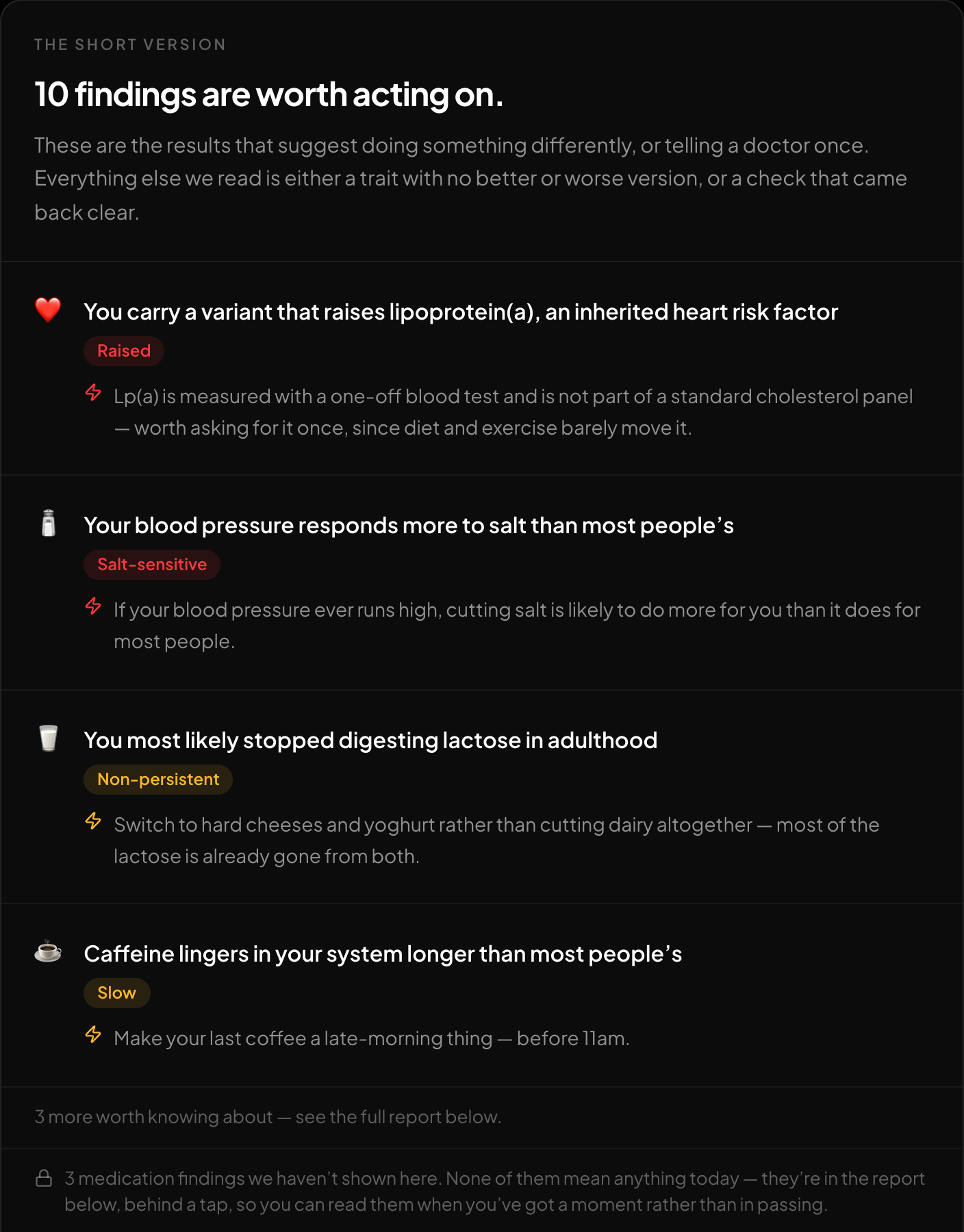
The short version: what is worth acting on, first.
Holding a gVCF and not sure it will work? Check it first.
New to raw DNA files? Start with the full guide: 23andMe Raw Data Interpretation Free in Your Browser
Written by
HealthOSX Research