How Do I Store My Downloaded 23andMe or AncestryDNA Raw Data File Safely and Privately on My Own Computer
Keep the 23andMe or AncestryDNA raw file as one encrypted archive plus an offline backup, delete the loose copies, and read it in your browser without uploading it.
Keep your 23andMe or AncestryDNA raw data file as one encrypted archive (AES-256, long passphrase) on a computer with full-disk encryption, plus one encrypted copy on an external drive that stays unplugged. Then delete the loose unzipped .txt and any plaintext copy that synced to a cloud folder, remembering that deleted cloud copies can linger for 30 days or longer. An archive encrypted before it syncs is an acceptable second copy, but the provider still holds it, along with its deleted-files and version history. The file is not anonymous: it is a fingerprint of you and, in part, of your relatives.
Five steps: encrypt, contain, delete, back up offline
- 1.Turn on full-disk encryption: FileVault on a Mac, BitLocker or device encryption on Windows, LUKS on Linux. It protects a stolen laptop and any stray plaintext copies, which matters because deleting a file on an SSD does not reliably erase it.
- 2.Put the file in an encrypted container: a VeraCrypt volume, or an archive with AES-256 selected. On a Mac, use Keka for AES-256 archives or the built-in encrypted disk image in Disk Utility; stock 7-Zip is for Windows and Linux. Skip the legacy ZIP password option (ZipCrypto), which is weak.
- 3.Use a passphrase of several random words and keep it in a password manager.
- 4.Delete the plaintext: the original download, the extracted .txt, the Trash, and any copy in a sync folder or browser downloads list. Deleting a synced copy does not remove it right away. iCloud Recently Deleted and Google Drive Trash keep files for about 30 days. Dropbox keeps deleted files and versions for 30 days on Basic and Plus, and for 180 days or more on Professional, Essentials and Business plans. Empty the trash where you can and check the version history.
- 5.Make one encrypted backup on an external drive and keep it offline. Then test it once: open the backup archive with the passphrase, confirm the .txt opens, and delete that test copy. An untested backup with a mistyped passphrase is a common failure.
The download is a plain text file with one line per position: an ID, a chromosome, a position and your two letters at that spot. Most IDs are rsIDs, but some 23andMe lines carry internal IDs starting with 'i' instead. 23andMe puts both letters in one column, while AncestryDNA puts the two alleles in separate columns. There are roughly 600,000 to 700,000 lines, and the zipped file is only a few megabytes. Nothing in it protects itself. Whoever opens it reads it, so any privacy has to come from encryption you add yourself.
The common mistake is not weak encryption. It is the forgotten copy: the extracted .txt in Downloads, or a zip sitting in a folder that iCloud Drive, Dropbox or Google Drive quietly syncs.
Automatic backups are the other quiet source of copies, and each tool covers different folders. Time Machine and Windows File History are the ones that pick up Downloads. OneDrive Known Folder Move covers Desktop, Documents and Pictures, and iCloud 'Desktop & Documents' covers those two folders, so neither copies Downloads. If the file sits in any covered folder, move it out or make sure those backups are encrypted.
| Safe if laptop stolen? | Safe if cloud account hacked? | Survives disk failure? | |
|---|---|---|---|
| Plain .txt in Downloads | Only with disk encryption | No, if the folder syncs | Only if a synced copy exists |
| Encrypted archive, laptop only | Yes | Yes | No |
| Encrypted archive in a cloud folder | Yes | Yes, if encrypted before it syncs | Yes |
| Encrypted archive plus offline encrypted drive | Yes | Yes | Yes |
Scroll the table sideways for the rest →
Assumes a strong passphrase. A cloud copy is only private if the archive is encrypted before it syncs, and the provider still holds that copy along with its deleted-files and version history.
What a raw DNA file reveals if someone else gets it
Who you are. Your letters at hundreds of thousands of positions are unique to you, unless you have an identical twin. Removing your name does not make the file anonymous, because anyone holding a sample or a database entry of yours can match it.
Who you are related to. You share about half your DNA with each parent and, on average, half with a full sibling (empirical sibling IBD ranges run roughly 37 to 61 percent). Grandparents, aunts and uncles share about a quarter, and first cousins about an eighth. That is why your file is partly your relatives' file too. It is also how a suspect was identified through a genealogy database in the 2018 Golden State Killer case: not through their own upload, but through relatives.
Health tendencies. The file can show medication response, carrier status for recessive conditions and a few single variants tied to disease. You cannot change it like a password. In the US, the GINA law bars genetic discrimination in health insurance and employment, but it does not cover life, disability or long-term care insurance.
One limit matters here. Array data is not clinical grade, and rare variants in it are often false positives. If something alarming shows up, it is worth asking a doctor or genetic counsellor to confirm it with a clinical test before anyone acts on it.
Deleting your account does not delete your copy
Download first, then decide about the account. Closing a 23andMe or Ancestry account and requesting that the sample be destroyed does not touch the file on your disk. And wiping your file does not recall what the company already holds: backups, data you consented to share for research, or anything exposed in a breach. 23andMe had a credential-stuffing breach in 2023 and went through bankruptcy in 2025, which showed that data held by a company can change hands.
What any company keeps after deletion, and for how long, is something to read in its current policy. I would not assume it is zero.
Sharing the file without handing over everything
- If someone asks about one variant, send that rsID and your genotype, not the file.
- Do not email the file. Send an encrypted archive and give the passphrase through a different channel.
- Before uploading to any site, check whether it stores the file, who can see it, how deletion works and whether it matches you to relatives.
- Tell relatives before you upload to a matching database, since you are also placing them in it.
- A clinician will usually retest rather than rely on a consumer file, so ask what they actually want.
Can I read my file without uploading it anywhere
Yes, for the trait and health story. The free tool linked below parses the file with JavaScript in your browser: no email, no account and nothing uploaded for that part. The full report is free too, after a one-time email code.
The tool stores the whole file only if you explicitly choose to keep it in your account, where it is encrypted and you can delete it any time. Otherwise nothing is stored.
Ancestry is the exception, because it needs a large reference panel that runs on a server. That happens only with your explicit consent. The markers sent are kept with the result until you choose 'Delete my DNA data'.
A raw DNA file is a fingerprint that never changes and is partly shared with your relatives, so one encrypted copy and one offline backup beat ten convenient ones.
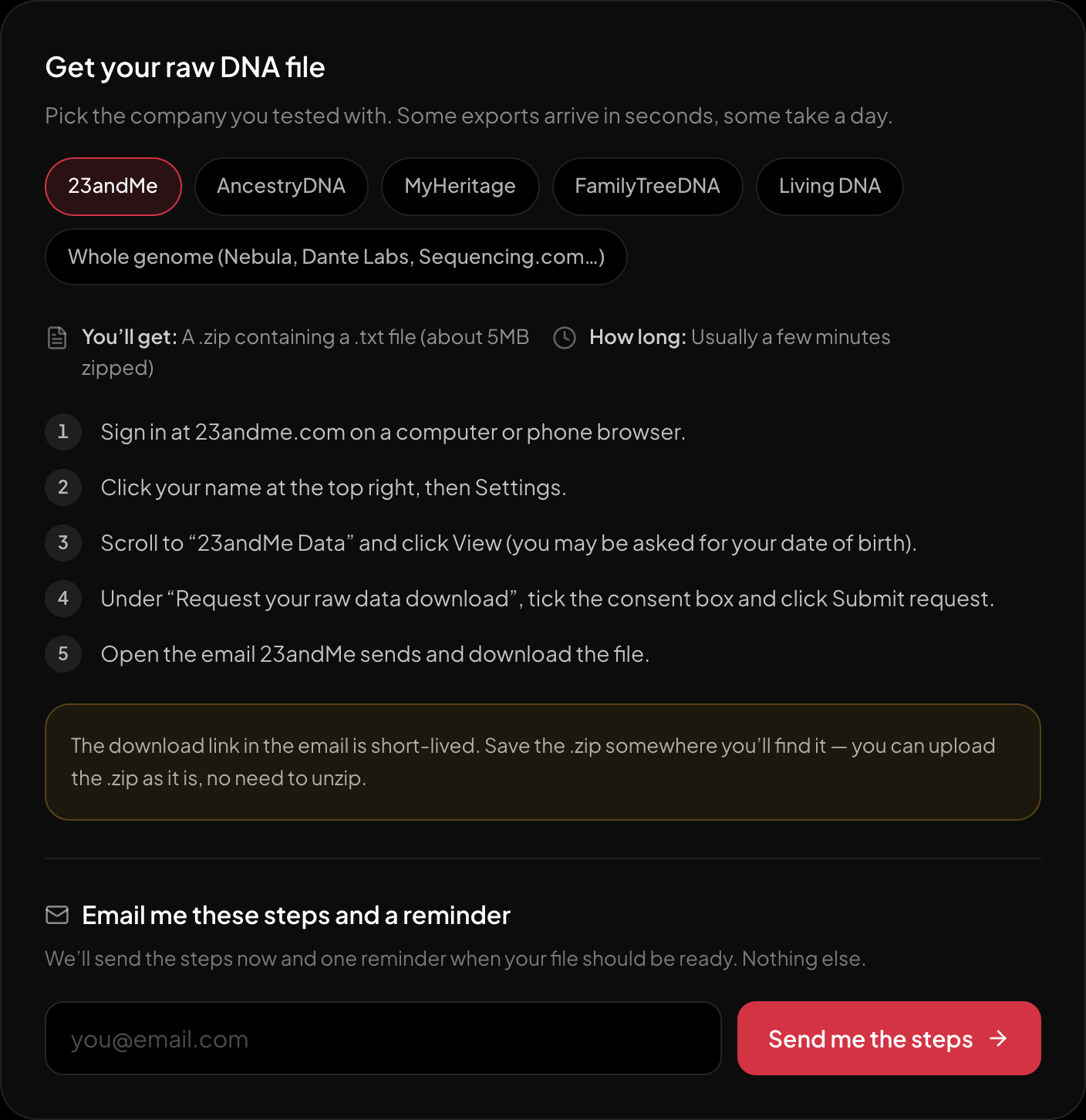
The download steps for 23andMe, on the page itself.
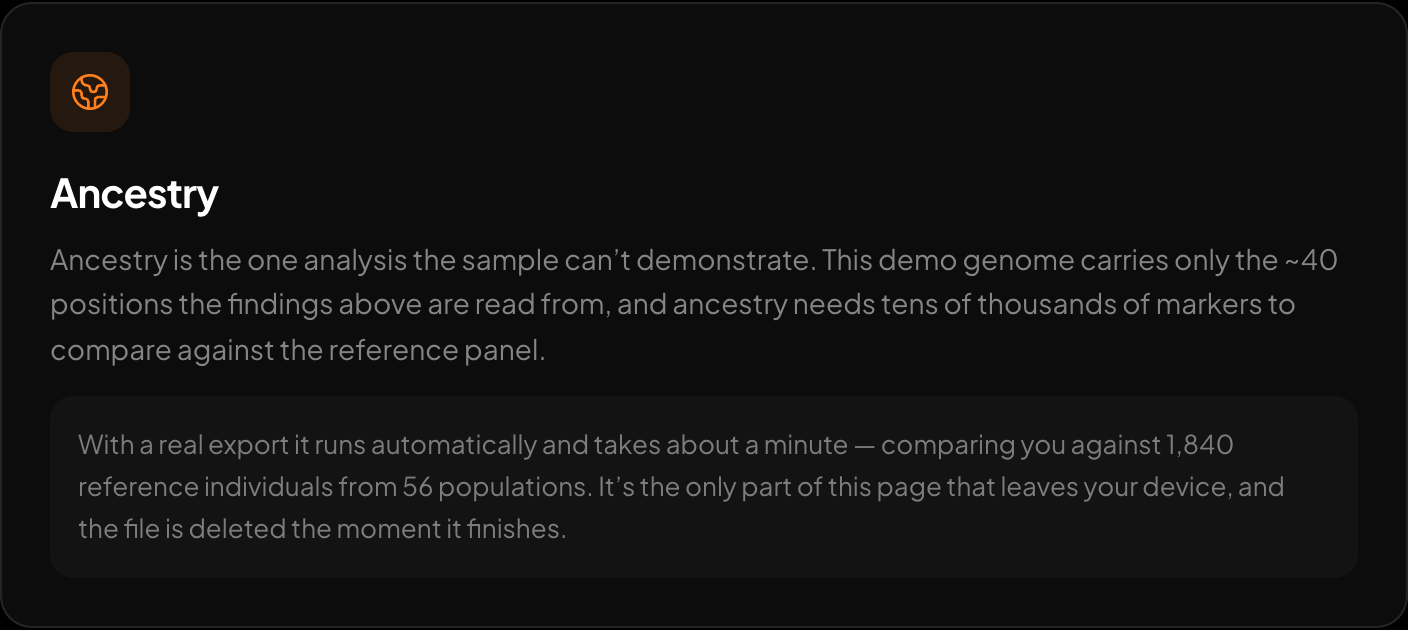
Ancestry across 15 regions and 157 reference populations.
If you want to see what your file says before you decide where it lives, the free DNA tool at HealthOSX reads the file in your browser and shows a trait and health story with nothing uploaded; the full report is free too, after a one-time email code; ancestry runs on the server only if you agree.
New to raw DNA files? Start with the full guide: 23andMe Raw Data Interpretation Free in Your Browser
Written by
HealthOSX Research