How Do I Open My 23andMe or AncestryDNA Raw Data File in Excel
Unzip the file, import the .txt as tab-delimited, delete the # lines, and you have a searchable list of your genotypes. Here is how, plus why a whole-genome VCF will not fit.
To open a 23andMe or AncestryDNA raw data file in Excel, unzip the download first, then use Data > From Text/CSV, choose Tab as the delimiter, and delete the lines that start with #. MyHeritage and FamilyTreeDNA files also have to be extracted first (normally a .zip and a .csv.gz), and then they import as comma-separated. What you get is a flat list of about 600,000 to 960,000 positions, one per row, with no interpretation attached.
Open a 23andMe or AncestryDNA file in Excel, step by step
The download is a .zip. Excel cannot read inside it, so extract it first (right-click and Extract All on Windows, double-click on a Mac). Inside is one .txt file, a few tens of megabytes at most.
- 1.Open a blank workbook in Excel.
- 2.Go to Data > From Text/CSV and select the .txt file.
- 3.Set the delimiter to Tab. The first rows of the preview may look ragged because of the
#comments. That is fine, since step 4 deletes them. Scroll down to the data rows and check that they split into columns (four at 23andMe, five at AncestryDNA), then click Load. - 4.Delete the rows at the top that begin with
#. At 23andMe the column names sit on a#line, so they go too: retype them on row 1 if you want a header. AncestryDNA's column-name row (rsid, chromosome, position, allele1, allele2) is not a#line, so it stays after you delete the comments.
Click Load before checking the preview and Excel can drop the header or mangle values. Saving the result under a new name or as .xlsx leaves the original download untouched.
These rows are illustrative only, with made-up genotypes. Real files are tab-separated; spaces are used here for alignment.
23andMe:
# rsid chromosome position genotype rs1000001 1 752566 AG rs1000002 1 776546 -- rs1000003 X 2698000 T
AncestryDNA:
rsid chromosome position allele1 allele2 rs1000001 1 752566 A G rs1000002 1 776546 0 0 rs1000003 23 2698000 T T
The -- at 23andMe and the 0 0 at AncestryDNA are no-calls: the chip could not read that spot.
| File | Separator | Columns | Column-name row | |
|---|---|---|---|---|
| 23andMe | Zip containing .txt | Tab | rsid, chromosome, position, genotype (two letters) | On a # line, so it is deleted with the comments |
| AncestryDNA | Zip containing .txt | Tab | rsid, chromosome, position, allele1, allele2 | A real row, so it stays |
| MyHeritage | Zip containing .csv | Comma, values in quotes | RSID, CHROMOSOME, POSITION, RESULT | A real row, so it stays |
| FamilyTreeDNA | Gzip (.csv.gz) containing .csv | Comma | RSID, CHROMOSOME, POSITION, RESULT | A real row, so it stays |
Scroll the table sideways for the rest →
Layouts as normally downloaded. Extract the archive before opening. Column names can vary slightly between file versions.
Google Sheets works the same way. Use File > Import > Upload, pick the .txt, and set the separator type to Tab. Sheets caps a workbook at 10 million cells, and a chip file of four or five columns and under a million rows comes to roughly 2.4 to 4 million cells, so it fits.
If everything ends up in one column, the tab split did not happen. This can occur when you open the .txt directly, because whether Excel launches the Text Import wizard depends on the version. Use the import route above instead. Double-clicking a .txt usually opens it in Notepad, not Excel. The same goes for a .csv on a computer set to a European locale, where Excel may expect semicolons: import it and pick comma.
MyHeritage and FamilyTreeDNA
MyHeritage normally downloads as a .zip containing a .csv, and FamilyTreeDNA as a .csv.gz. Extract them first. Windows may need a free tool such as 7-Zip for the .gz. Then use Data > From Text/CSV and pick Comma. MyHeritage files typically start with # comment lines as well, so look at the first rows and delete anything that is not data. Both companies put a real column-name row (RSID, CHROMOSOME, POSITION, RESULT) after any comments, and that row stays.
Why the file looks like a wall of text
Because it is a lookup table, not a report. The company's chip reads a fixed list of positions in your DNA, and the file simply records what it saw at each one. Nothing says which positions matter.
The # lines at the top are comments: the company's name, a data-use notice, the genome build the positions refer to (build 37 at 23andMe, build 37.1 at Ancestry), and in 23andMe's case the column names too. Excel does not know they are comments, so they show up as ordinary rows.
Two details trip people up. A no-call is -- at 23andMe and 0 in both allele columns at AncestryDNA. And on AncestryDNA, chromosomes 23 to 26 are not extra chromosomes: they stand for X, Y, the pseudoautosomal region and mitochondrial DNA. On 23andMe, men show a single letter on X and Y rather than a pair, which is correct, not a read error.
Reading the genotype letters
A, C, G and T are the four DNA bases. Two letters, such as AG, are your two copies at that position, one inherited from each parent. Two different letters means you carry one of each, and two identical letters means you carry the same base twice. At AncestryDNA the two copies sit in separate columns, allele1 and allele2.
Some 23andMe rows use I and D instead of letters. These are indels: I marks an insertion and D a deletion relative to the reference, so a genotype can read II, DI or DD. Some rows also have IDs that start with a lowercase i, such as i7000001. These are the company's internal IDs, not rsIDs, so searching for them in public databases will find nothing.
Why a chip file fits and a whole-genome VCF does not
Excel stops at 1,048,576 rows. A genotyping chip reads a set list of roughly 600,000 to 960,000 positions, depending on the company and chip version, which is roughly 57 to 92 percent of that limit, so it fits. That is a small slice of the 3 billion letters in a genome, which is why a chip file can say plenty about common variants and nothing about most of the rest.
A whole-genome VCF from sequencing records every place you differ from the reference, typically several million variants, plus header lines starting ##. That is several times the row limit. It arrives as .vcf.gz, and the unzipped file is usually gigabytes. Excel normally shows a warning that the file was not loaded completely, but the warning is easy to miss, and you end up with a partial genome that looks complete. Do not do analysis on it.
Finding one rsID
An rsID such as rs4988235 is a variant's catalogue number. Your file has one row per number, so finding it takes seconds.
- Press Ctrl+F (Cmd+F on a Mac) and search the exact ID. Tick "match entire cell contents" or rs123 will also hit rs1234.
- Or filter the rsid column by the ID.
- Read the genotype off that row: two letters at 23andMe, two columns at AncestryDNA.
- If the ID is missing, your chip simply did not test it. That is common, and it is not an error.
If you only need a single variant, the free HealthOSX rsID lookup saves you the scrolling.
The harder part is meaning. A pair of letters tells you nothing until you know which one is the effect allele, and sources do not always report on the same DNA strand. Do not paste letters from one company's file into a paper written for another without checking the strand. Many variants also matter only in combination, or only for one ancestry, and a single row cannot show that.
Splitting and filtering a big sheet
To work on one chromosome, turn on Data > Filter, open the dropdown on the chromosome column and tick only the one you want. Copy the visible rows to a new sheet. You can filter the position column the same way to look at one region. Remember that X, Y and mitochondrial DNA appear as letters at 23andMe but as 23 to 26 at AncestryDNA.
Two habits protect your data:
- Work on a copy. Use Save As to make a .xlsx and never save over the original download, so you can always start again.
- Never sort a single column. Sorting only the position column leaves the genotypes in place, so every row pairs the wrong rsID with the wrong result. Select all the columns, or click inside the table and sort from the Data tab, and read any prompt about expanding the selection.
When to stop scrolling
Spreadsheets are good for confirming one ID or checking that the file is intact. They are bad at the actual job: deciding which of 700,000 rows are worth reading. A fourth Google search for the same variant is a sign to hand the job to a tool. A VCF was never meant for a spreadsheet at all.
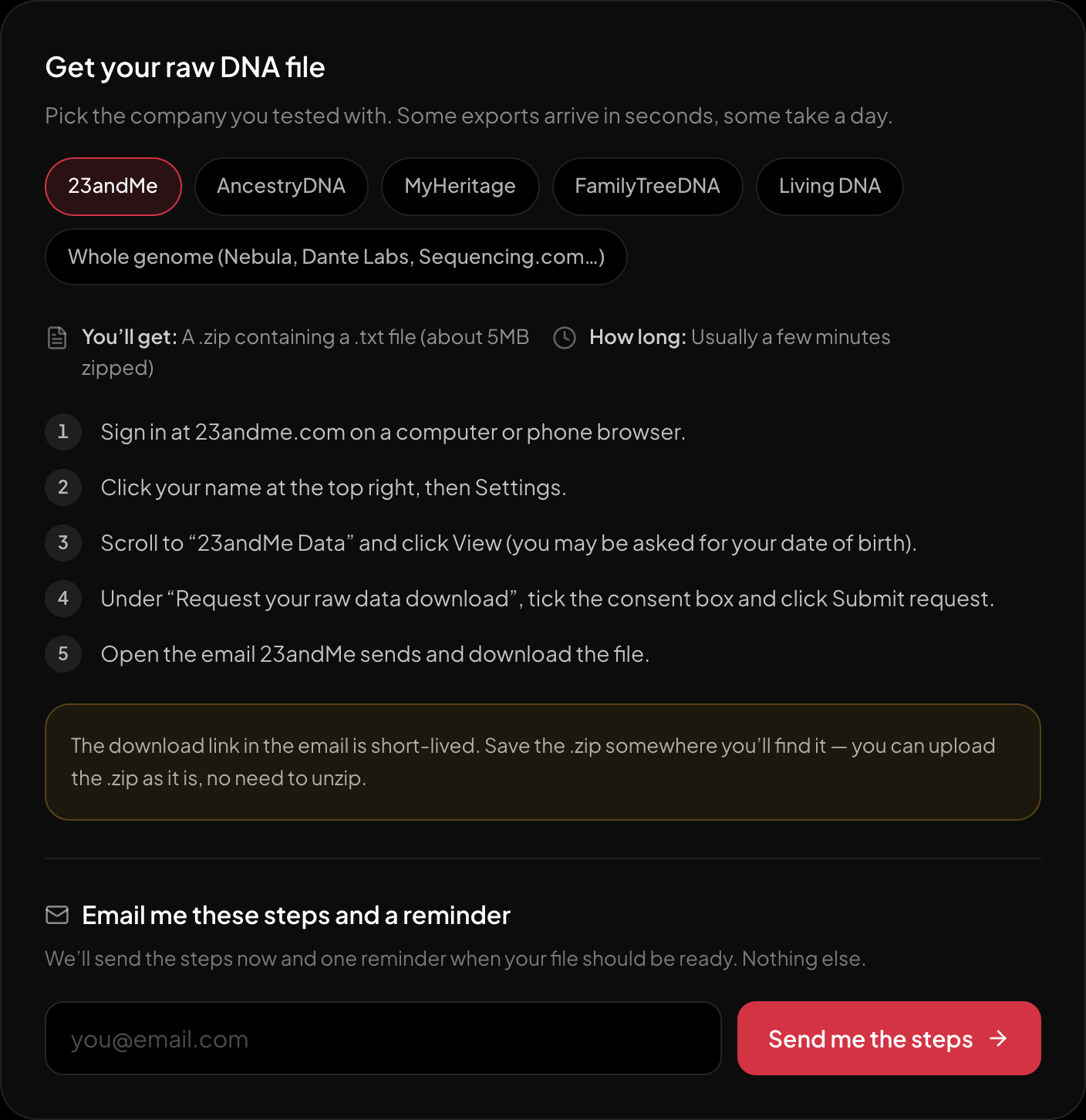
The download steps for 23andMe, on the page itself.
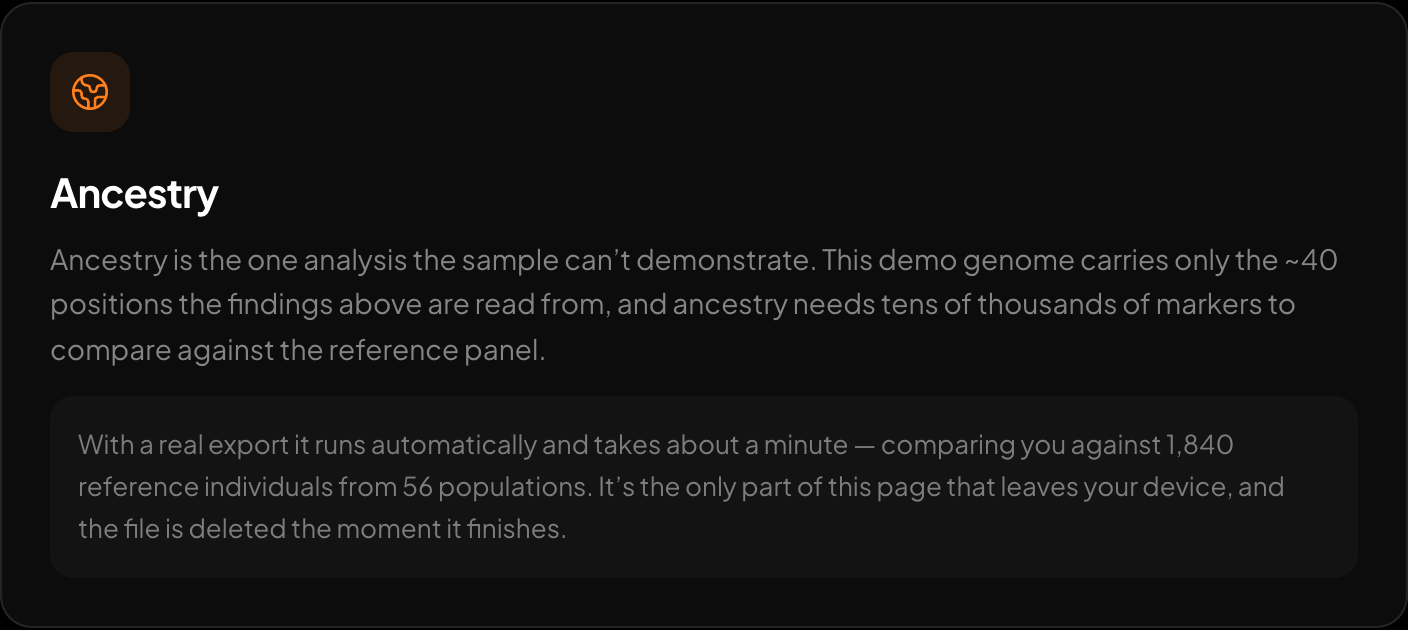
Ancestry across 15 regions and 157 reference populations.
If you want the file read for you, the free HealthOSX DNA tool takes a raw 23andMe, AncestryDNA, MyHeritage or whole-genome VCF file and parses it in your browser. The full report opens after a one-time email code and covers traits, medication response and carrier-relevant findings. Ask your DNA, with its imputation step for stored files, also runs on the account side. The ancestry breakdown sends only the markers it needs, and only with explicit consent. Nothing is stored unless you choose. The results are tendencies and flags to take to a doctor, not diagnoses. For housekeeping on the file itself, the free check and convert tools may also help.
New to raw DNA files? Start with the full guide: 23andMe Raw Data Interpretation Free in Your Browser
Written by
HealthOSX Research