Can I Merge My 23andMe and AncestryDNA Raw Data Files
No, you cannot merge 23andMe and AncestryDNA raw files by pasting them together. A safe merge requires build, strand, and allele reconciliation.
Can I merge my 23andMe and AncestryDNA raw data files?
No, you cannot safely merge them by simply pasting the files together. You can merge only after you reconcile genome build, strand orientation, and matching alleles at every shared rsID. If you cannot complete those checks, use the original files separately.
What merge actually means here
A real merge is one row per marker with one genotype. A 23andMe file and an AncestryDNA file are not shaped the same way, which is the first reason appending them is not merging.
| 23andMe | AncestryDNA | |
|---|---|---|
| Header | Comment lines then # rsid chromosome position genotype | One header: rsid chromosome position allele1 allele2 |
| Allele call | One genotype column like AG | Two allele columns like A and G |
| Build | Verify build before merging, often GRCh37/hg19 | Verify build before merging, often GRCh37/hg19 |
| Biggest append risk | Comment lines plus duplicate rsIDs | Alleles split without strand check |
Scroll the table sideways for the rest →
Column and allele formatting differ, so a straight append is not a merge.
If you append one file under the other, every rsID the two chips share appears twice. Depending on the tool, it may read the first, the last, or neither duplicate. That is a file pile, not a merged file.
The SNP panels overlap heavily for common markers but are not identical. Current standard arrays test hundreds of thousands of markers, and each service has unique content. A merged file could hold more unique rows, but it would still carry missing calls at positions neither array tested. For a health report that only cares about specific genes, missing data remains missing data.
Why strand orientation and differing SNP panels make this non-trivial
Current direct exports from 23andMe and AncestryDNA are often GRCh37/hg19, but you must verify build and strand for each file. Converted files, older exports, or third-party re-exports may change build, strand, or allele encoding. If a file was converted, re-exported from a third-party tool, or came from an older service, a shared rsID can look like a conflict when it is not. An A/G call in one file and a T/C call in the other can be the same SNP on the opposite strand.
There is a second issue. A/T and C/G SNPs are ambiguous for strand orientation, and without the reference allele you cannot always tell whether two apparent conflicts are real disagreements or just flipped alleles. This is why a text editor merge is unreliable.
The two companies also use different arrays. Markers present on only one chip become no-calls in the combined file. The merged file is not a better version of both, it is a larger file with a different pattern of holes.
When merging is safe: three checks before combining
- 1.Same build. The chromosome and position for a shared rsID must match. Current direct exports are often GRCh37/hg19, but verify the build for each file.
- 2.Same strand. Alleles must be on the forward/reference strand, or you must reverse-complement them before joining.
- 3.Same allele at every shared rsID. If both files have a call and they do not match after strand check, stop. That can mean different people, a sample mix-up, or a corrupt file.
A merge is safe only when every shared rsID lands on the same build, same strand and same allele. If one check fails, keep the original files separate.
What to do instead if a tool accepts only one upload
Do not feed a tool a homemade merged file to get around a single-upload limit. Choose the file the target tool explicitly accepts, or the file that contains the required rsIDs. If a tool accepts both formats, test the files separately when possible and compare the results.
If you are not sure which file covers the relevant positions, upload each separately and compare. HealthOS accepts 23andMe and AncestryDNA files and can analyze an accepted upload. It parses the file in the browser, shows the trait and health story there, and opens the full free report after a one-time emailed code.
If a safe merge is truly needed, use a dedicated parser that deduplicates rsIDs, checks build and strand against a reference, and flags conflicts. Do not rely on a text editor.
The common mistake is assuming that two files from the same person can simply be stacked. They can be stacked physically. They should not be treated as one genotype without the checks above.
Which file should you upload first?
Choose the file with the fewest no-calls at the positions the tool reports. If a report depends on a specific marker such as CYP2C19, check that those markers are actually present. A larger file does not matter if it lacks the specific position. In practice, upload the file that contains the required markers or is explicitly accepted, and test files separately if possible.
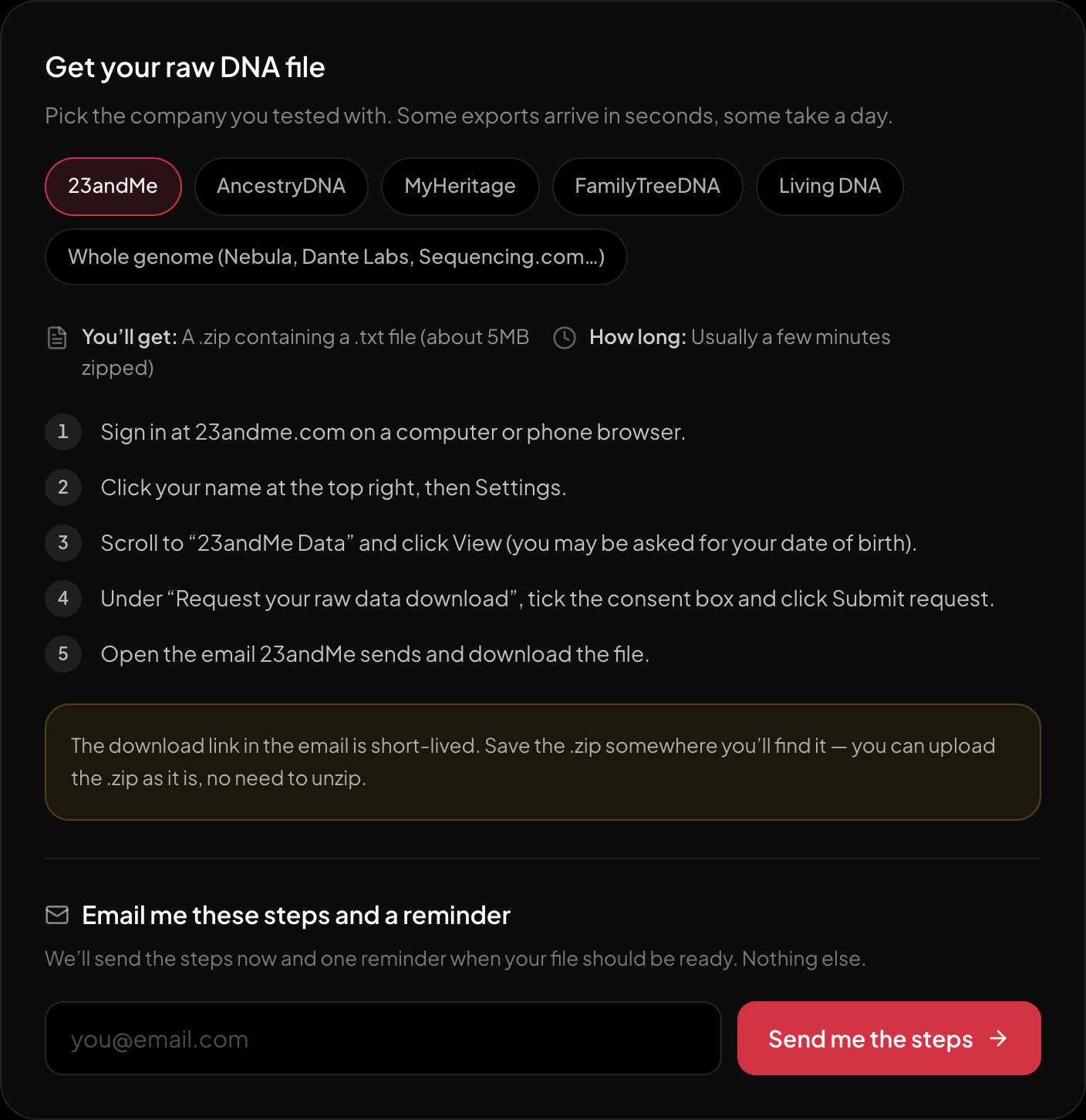
The download steps for 23andMe, on the page itself.
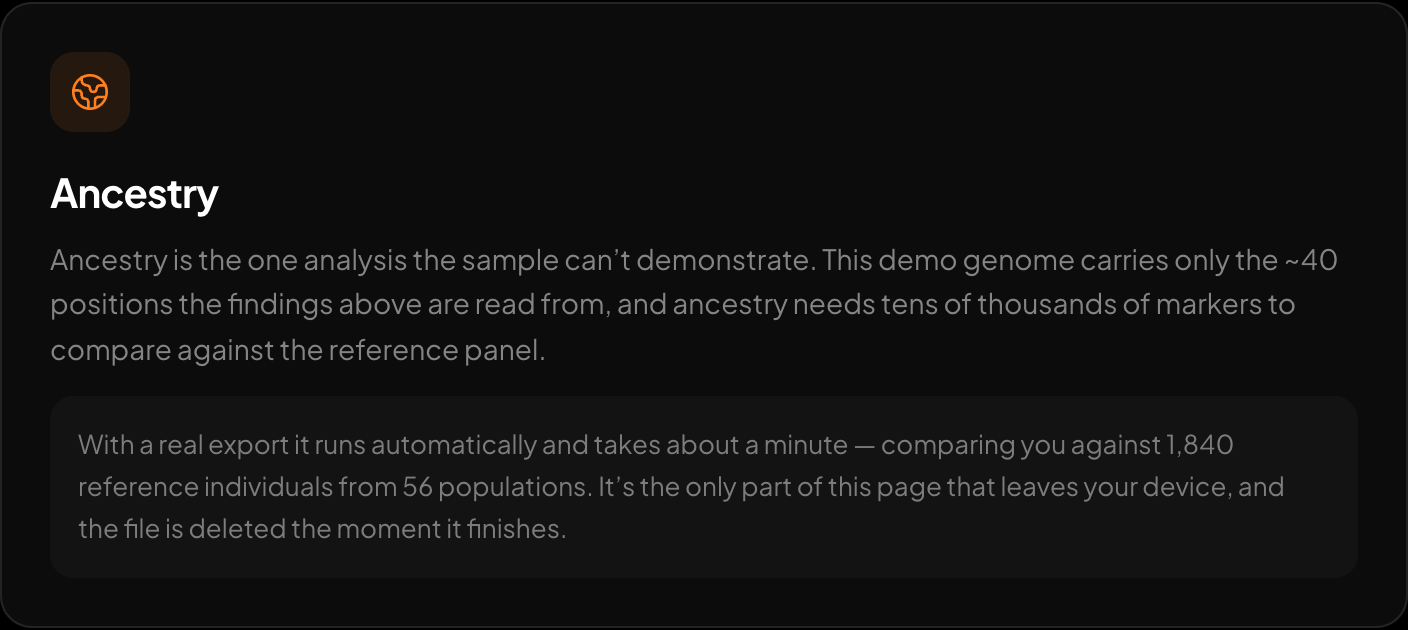
Ancestry across 15 regions and 157 reference populations.
Want to see what your existing raw file actually reports? Check the file at https://healthosx.com/dna/check, then upload a 23andMe or AncestryDNA export at https://healthosx.com/dna. HealthOS parses the file in the browser, shows the trait and health story there, and opens the full free report after a one-time emailed code. A sample report is available from the upload page.
New to raw DNA files? Start with the full guide: How to Download & Analyze Your 23andMe Raw Data Free
Written by
HealthOS Research