How Many SNPs Should My 23andMe or AncestryDNA Raw Data File Have and Is Mine Missing Lines
A 23andMe or AncestryDNA raw file should have roughly 575,000 to 960,000 data lines depending on company and chip version. Here is how to count yours and spot a truncated file.
A 23andMe or AncestryDNA raw data file should have roughly 575,000 to 960,000 data lines, not millions, depending on the chip: about 575,000 for 23andMe v2 (about 2008 to 2010), about 960,000 for v3, about 600,000 for v4, about 640,000 for v5, about 700,000 for AncestryDNA v1 (files from before about 2016) and about 670,000 to 680,000 for AncestryDNA v2. Taken together with the company and the file layout, the count usually points to your chip version.
Why a chip file is hundreds of thousands of lines, not millions
A consumer DNA test is not sequencing. The lab uses a genotyping array, a slide with a set of probes, one set per position the manufacturer chose in advance. Your saliva DNA sticks to the probes, and the machine reads which letter you carry at each one. It never looks at anything the designers did not put on the slide.
The human genome is about three billion letters long, so even the roughly 640,000 positions on a 23andMe v5 chip are only about 0.02% of it.
The positions were picked because they vary between people and are common enough to be informative. That is why the count is mostly a property of the chip and not of you. A whole-genome sequence, by contrast, lists several million places where a person differs from the reference, and its file looks nothing like this.
Expected line counts by company and chip version
It depends on the company and on the chip version. The numbers below are approximate, because each company has revised its chip over time and exact line counts differ by a few thousand between files. Find the row that matches the company and the year you were tested.
| Chip | Years used (approx.) | Data lines | Healthy minimum (guide) | Header | No-call written as | Ends on |
|---|---|---|---|---|---|---|
| 23andMe v2 | 2008 to 2010 | about 575,000 | worry below ~475k | # lines | -- | MT |
| 23andMe v3 | 2010 to 2013 | about 960,000 | worry below ~850k | # lines | -- | MT |
| 23andMe v4 | 2013 to 2017 | about 600,000 | worry below ~500k | # lines | -- | MT |
| 23andMe v5 | 2017 onward | about 640,000 | worry below ~550k | # lines | -- | MT |
| AncestryDNA v1 | before about 2016 | about 700,000 | worry below ~600k | # lines plus one column header | 0 0 | chromosome 26 |
| AncestryDNA v2 | about 2016 onward | about 670,000 to 680,000 | worry below ~600k | # lines plus one column header | 0 0 | chromosome 26 |
Scroll the table sideways for the rest →
Approximate figures. Exact counts vary by a few thousand between files. Years are approximate, and the minimums are our rough guide, not a company threshold.
Three things people get wrong. First, a bigger number is not a better test. The v3 file is the longest, and it is not the newest. Second, AncestryDNA is not one number, and neither is 23andMe. A healthy v2 file at 670,000 to 680,000 lines is not 3 to 4% short of a v1 file at 700,000, it is simply a different chip, and a healthy 23andMe v2 file at about 575,000 lines can look short next to v4 or v5 when it is just an earlier chip. Third, comparing your count with a friend's means nothing unless you were both run on the same chip version. The 23andMe v2 (about 575,000), v4 (about 600,000), v5 (about 640,000) and AncestryDNA v2 (about 670,000) counts sit fairly close together, so use the company, the file layout and the count as a set. An older 23andMe file and a newer one can differ by hundreds of thousands of lines and both be perfectly healthy.
The minimums in the table are our rough guide, not a company threshold.
Which chip version am I on?
AncestryDNA headers name the array version in a # line, for example AncestryDNA array version: V2.0, so open the top of the file and read it there. 23andMe headers do not name the chip, so for a 23andMe file the line count and your test date are the clue: about 575,000 lines and a test around 2008 to 2010 points to v2, about 960,000 and 2010 to 2013 to v3, about 600,000 and 2013 to 2017 to v4, and about 640,000 and 2017 or later to v5. Because v2, v4 and v5 counts are close, the test date does most of the work there.
Count the lines yourself
Unzip first if the file is a .zip. Then count only the data lines, leaving out the header.
- 23andMe:
grep -vc '^#' genome.txtprints the number of data lines. The column header there starts with a # sign, so it is already excluded. - AncestryDNA: the same command counts one line too many, because the column header (
rsid chromosome position allele1 allele2) has no # sign. Subtract one. - Without unzipping:
unzip -p yourfile.zip | grep -vc '^#'. - On Windows without a terminal, a text editor that shows line numbers works, but do not open it in Excel and save it back. That can rewrite the file.
- Cross-check with
wc -l yourfile.txt, which counts every line including the header, so it should be larger by the number of header lines. Windows line endings (CRLF) do not change either count.
Then look at the end of the file with tail -n 3 yourfile.txt. The last lines should be on the mitochondrial chromosome, shown as MT in a 23andMe file or 26 in an AncestryDNA file, and the final line should be complete. If it is not, see the broken-file section below.
Header lines and no-calls move the total less than you think
The top of the file is a block of lines starting with #. In 23andMe files it is a short note about the data and the reference genome build. AncestryDNA files carry a similar note. These are a couple of dozen lines at most, so they never explain a large gap. They only explain being off by a handful.
No-calls matter even less for the count, because they stay in the file as lines. A no-call is a position where the chip could not give a confident reading. 23andMe writes it as -- in the genotype column, AncestryDNA as 0 0 in the two allele columns. Count them with grep -c -e '--$' genome.txt, or for Ancestry awk '!/^#/ && $4==0 && $5==0' file.txt | wc -l. If the file has Windows line endings (CRLF), every line ends in a carriage return, so the '--$' pattern matches nothing at all and reports zero. Strip them first, for example tr -d '\r' < genome.txt | grep -c -e '--$', and do the same before the awk command.
Most healthy files have only a small share of no-calls, and the exact share varies by chip and sample. There is no official cutoff for a poor sample. As our rough guide, not a company threshold, a share over about 5 to 10% points to a weak sample rather than a short file, and it is worth asking the company about a re-run.
Sex chromosomes need a separate note. In men, 23andMe may write X and Y calls differently, as single letters or as --, so a man should not read Y no-calls as damage. In women, the Y lines are almost all no-calls, which is normal.
There are also differences in how the lines are written. 23andMe uses X, Y and MT for the sex and mitochondrial chromosomes. AncestryDNA uses numbers, with 23 for X, 24 for Y, 25 for the pseudoautosomal region and 26 for mitochondrial DNA. Some lines in a 23andMe file have IDs starting with i rather than rs. Those are internal identifiers, not mistakes.
When a short file is a broken file
These files are sorted by chromosome and then by position. That is useful, because a truncated download loses the end, and the end is identifiable.
- The last line should be a mitochondrial position (MT in 23andMe, 26 in AncestryDNA), which is what
tail -n 3should show. If it ends on chromosome 9, or stops partway through a line, the file was cut off. - A count well below the healthy minimum for your chip version in the table points the same way, since a short count usually means a damaged file.
- A zip that will not open, or opens to a zero-byte or tiny text file, means the download did not finish. Download it again from your account rather than repairing it.
- A file that was opened and re-saved in a spreadsheet or word processor can gain quote marks, change delimiters or lose its tab separation. The line count can look fine while programs refuse to read it.
A missing MT or Y section matters in practice, because maternal lines are read from MT and paternal lines from Y (in women the Y lines are expected to be empty, and paternal lines do not apply). X is not used for haplogroups, but a missing X section matters for other reasons, such as sex checks and some traits.
A SNP I wanted is not in my file. Did something go missing?
Probably not. If the position was never on your chip, there is no line for it, however famous the SNP is. This is the most common surprise: someone looks up a specific rsID from a paper, finds nothing, and assumes the file is incomplete. The chip versions differ in which positions they include, so a variant can be present in a v4 file and absent from v5, or the other way round. Neither company reports a position it did not measure.
A chip file lists the positions the chip was built to read, not your whole genome, so check the last line and the chip version before you decide anything is missing.
If the line is present and shows a no-call, that is a different case: it was measured and failed, and re-uploading will not fix it.
Check your file before you rely on it
To find out whether your file will work, use the free file check at HealthOSX, which is built for exactly that question. A normal-length file is the first thing worth confirming before you read any result, because a report can only cover positions your chip actually measured.
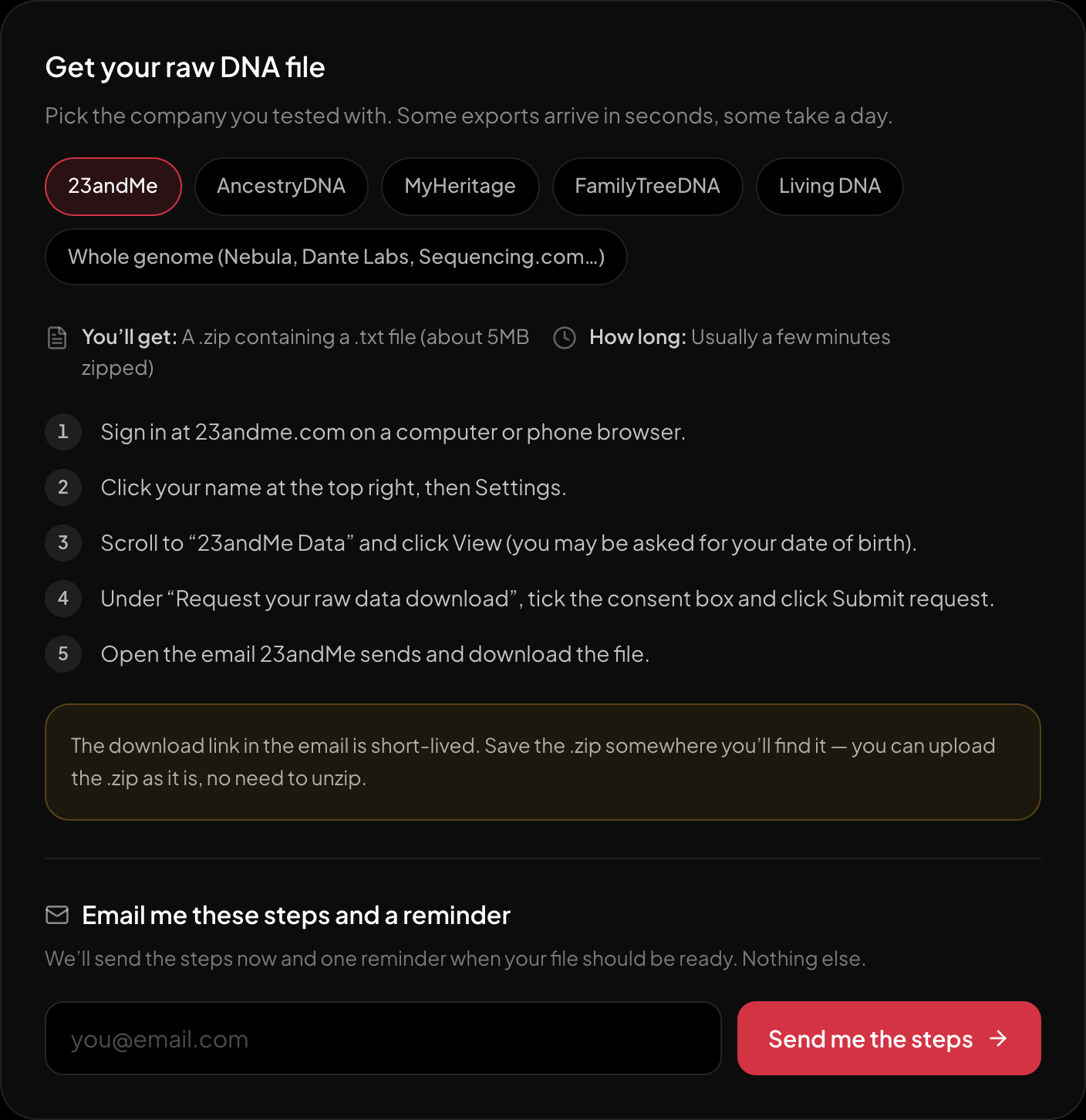
The download steps for 23andMe, on the page itself.
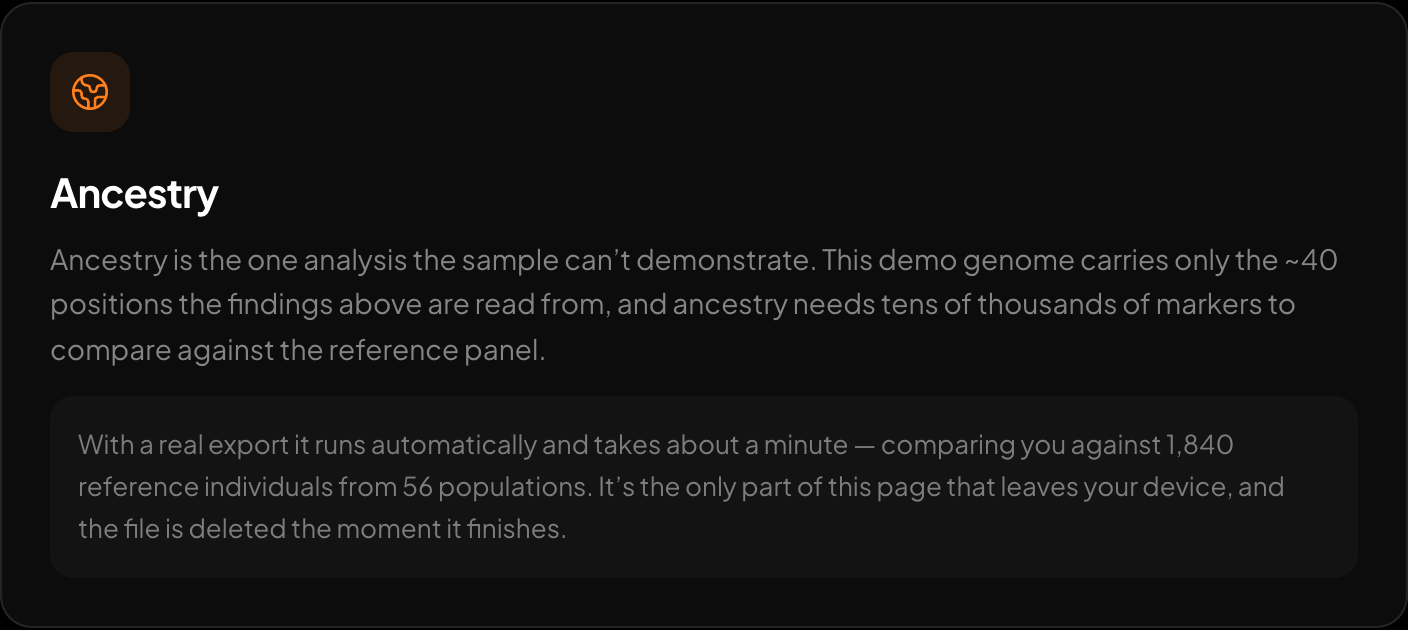
Ancestry across 15 regions and 157 reference populations.
Once the file checks out, the DNA tool at HealthOSX reads a raw 23andMe, AncestryDNA or MyHeritage file and shows traits, medication response, carrier status and single-variant health findings. It also reads maternal and paternal lines (mtDNA and Y haplogroups), all parsed in the browser on your device.
New to raw DNA files? Start with the full guide: 23andMe Raw Data Interpretation Free in Your Browser
Written by
HealthOSX Research